.svg)
.svg)
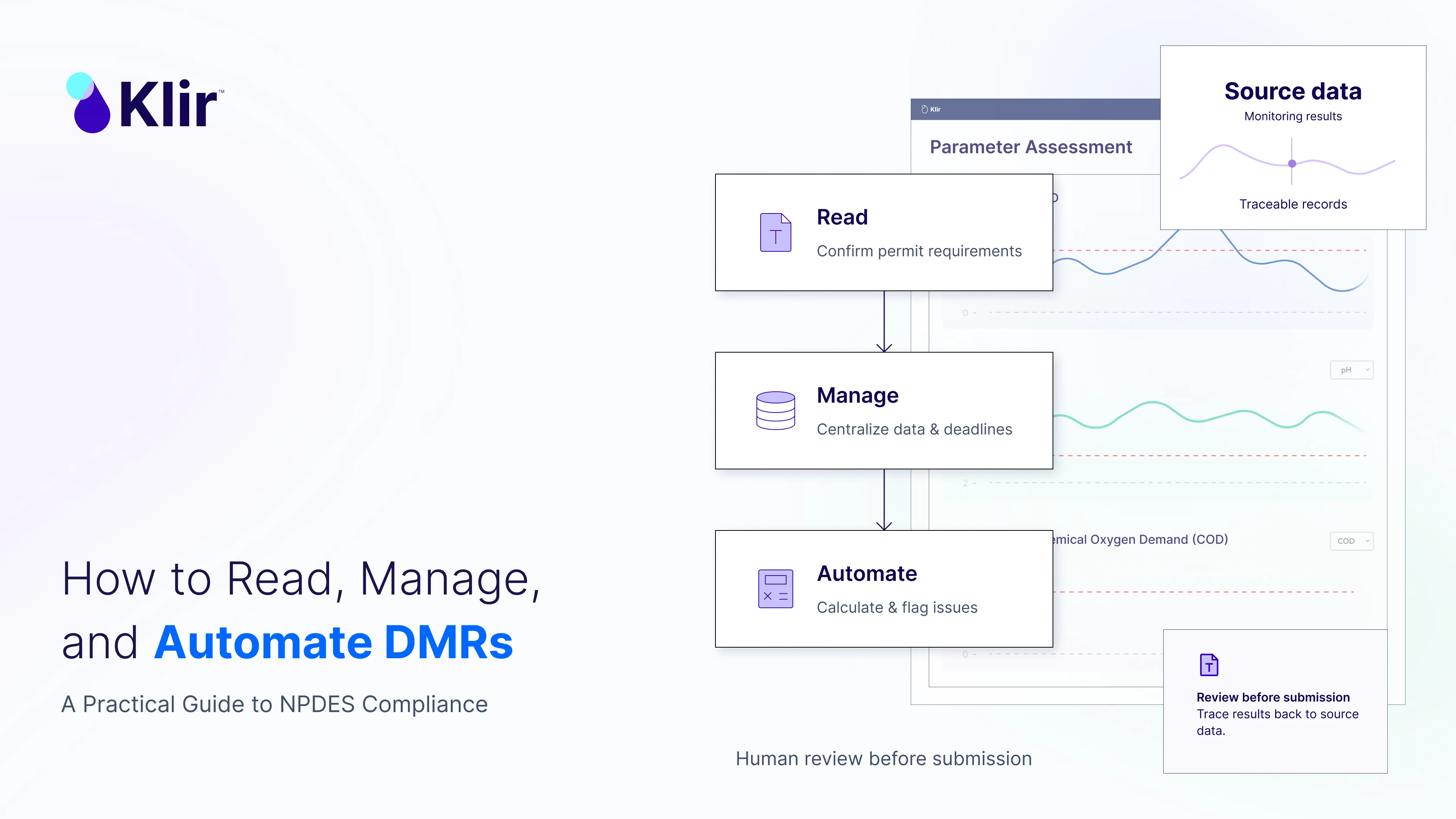
How to Read, Manage, and Automate DMRs: A Practical Guide to NPDES Compliance
Key Takeaways
- Reporting failures, not exceedances, drive most NPDES non-compliance. More than half of all NPDES permit violations are reporting-related — most commonly a missed or incomplete Discharge Monitoring Report, not a permit exceedance.
- Electronic reporting is no longer optional. EPA’s NPDES Electronic Reporting Rule is now fully in effect nationwide — Phase 2 compliance became mandatory as of December 21, 2025 — meaning every permittee should now be submitting DMRs through NetDMR or an approved state eDMR system.
- Most DMR errors trace back to four root causes: permit misinterpretation, state-specific rule confusion, data mismanagement, and calculation mistakes — not a lack of effort from compliance staff.
- Reading a permit is a skill, not a formality. Utilities that treat their NPDES permit as a living reference document — not a file to check once — catch problems before they become violations.
- Automation doesn’t replace compliance staff — it protects them. Digital DMR management reduces manual data entry, catches calculation errors before submission, and gives utilities an audit trail regulators and executives can both trust.
Every wastewater utility with an NPDES permit knows the deadline. It arrives every month, quarter, or year without exception: the Discharge Monitoring Report is due.
For many compliance managers, pretreatment coordinators, and lab directors, the DMR isn’t just paperwork. It’s the single most visible record of how well a utility is operating — reviewed by regulators, published in EPA’s public ECHO database, and, increasingly, scrutinized by the utility’s own leadership.
Yet DMRs remain one of the most common sources of NPDES non-compliance in the country. Not because utilities are discharging out of permit — but because reporting itself breaks down somewhere between the sample bottle and the submission button.
This guide covers what every utility needs to know to read, manage, submit, and increasingly, automate DMRs — and how to build a reporting process that holds up under regulatory scrutiny.
Why DMRs Matter More Than Utilities Often Realize
A Discharge Monitoring Report is the self-reporting mechanism required under most NPDES permits. Utilities that are issued permits requiring sampling and monitoring must submit DMRs on a set schedule — monthly, quarterly, semi-annually, or annually, depending on the permit.
Once submitted, that data doesn’t stay internal. DMRs flow into EPA’s Enforcement and Compliance History Online (ECHO) database, where they’re publicly searchable by anyone — regulators, watchdog groups, and the utility’s own ratepayers.
That visibility is exactly why DMR accuracy matters as much as effluent quality itself. A utility can be operating a well-run treatment plant and still land in significant non-compliance status because of how — or whether — it reported that performance.
DMRs and NPDES Non-Compliance: The Numbers Tell the Story
More than half of all NPDES permit violations are reporting-related, and the majority of those involve a DMR that was never submitted, submitted late, or submitted incomplete.
That distinction matters. Regulators don’t just track effluent exceedances — they track whether utilities reported at all, and on time. EPA’s Noncompliance Report (NNCR) specifically flags DMR reporting violations when results aren’t reported within 30 days of the due date, splitting them into two categories:
- Category I violations — an entire DMR is missing 31+ days after the due date
- Category II violations — a partial DMR (missing parameters or outfalls) is still outstanding 31+ days after the due date
In other words, a utility doesn’t need to violate a discharge limit to land in significant non-compliance. It just needs to miss the reporting window. For a broader look at what full compliance actually requires beyond the DMR itself, see our guide, On the Path to Full NPDES Compliance.
The Reporting Landscape Has Changed: Electronic Submission Is Now Mandatory
Since December 2016, EPA’s NPDES Electronic Reporting Rule has required most permittees to submit DMRs electronically rather than on paper — through NetDMR or a state-run eDMR system.
What’s changed more recently: the rule’s second phase, which covers additional report types (biosolids reports, MS4 program reports, pretreatment reports, and more), had its compliance deadline extended to December 21, 2025. That extension has now passed, which means the full scope of NPDES electronic reporting is officially in effect nationwide.
For utilities still managing any part of their compliance reporting on paper, spreadsheets exported manually, or state portals used inconsistently, this is the moment to close that gap. States vary in which system they use — some rely on EPA’s NetDMR, others operate their own eDMR platforms — so the first step for any utility is confirming exactly which system its permitting authority requires.
For utility IT teams weighing what this shift means for internal systems, see How Should IT Departments Adapt to EPA eReporting?
How to Read Your NPDES Permit (Before You Touch a DMR)
The most common DMR errors don’t start with the report. They start with the permit.
Every NPDES permit is a distinct legal document, and treating it as a formality — reviewed once at issuance and never revisited — is one of the fastest ways to introduce compliance risk.
To read a permit correctly, utilities should:
- Confirm they’re working from the current version. Permits get reissued, modified, and administratively extended. A team working from an outdated copy can miss new limits or monitoring requirements entirely.
- Separate load limits from concentration limits. The Effluent Limitations section typically includes both, and they don’t automatically align — converting between the two requires care, and mismatched conversions are a frequent source of reporting errors.
- Look beyond the effluent limits table. Many permits include additional obligations buried in other sections — biosolids monitoring, biomonitoring/whole effluent toxicity testing, pretreatment program reporting — that don’t show up unless someone reads the full document.
- Flag anything ambiguous with the permitting authority directly. When permit language is unclear, a quick clarifying call is far cheaper than a compliance violation traced back to a misread requirement months later.
Submitting a DMR: What’s Actually Required
A completed electronic DMR includes more than sample results. At minimum, utilities need to report:
- Permittee name and mailing address, plus facility address if different
- The nine-character NPDES permit number
- The four-character discharge/outfall number
- The monitoring period, in Year/Month/Day format
- Parameters listed with STORET codes, in numeric order
- Maximum, minimum, and average sample measurements
- Number of exceedances
- Analysis frequency (e.g., “01/07” for weekly sampling)
- Sample type (GRAB, 24HC, CONT, etc.)
- Principal Executive Officer or Authorized Agent name and title
- An original authorized signature, with telephone number and signature date
Missing or mismatched data in any of these fields is enough to trigger a Category II reporting violation — even when the underlying water quality data is accurate.
Avoiding the Most Common DMR Errors
Beyond permit misreading, three other error categories account for the bulk of preventable DMR mistakes.
1. State-Specific Rules That Don’t Match Federal Defaults
NPDES is a federal program, but much of its day-to-day interpretation happens at the state level — and states don’t always align.
- Weekly averaging periods differ. Some states define the reporting week as Sunday through Saturday; others use Monday through Sunday. Using the wrong window changes the calculated average.
- Non-detect results are recorded differently. Some states want a “<” symbol with the detection limit; others require a zero; some mandate a specific NODI (No Data Indicator) code.
- Practical Quantification Limits (PQLs) vary by permit. Permits may specify the minimum concentration a lab must be able to measure — using a different method than the one specified can create an unintended violation, even if the discharge itself is compliant.
- Additional monitoring still needs to be reported. If a lab runs extra parameters beyond what’s required, that data typically still needs to appear on the DMR, often with a comment noting why.
- Rounding rules are more precise than most people assume. Under standard rounding conventions, values ending in 6, 7, 8, or 9 round up, and 0, 1, 2, 3, or 4 round down — with special handling when a 5 is dropped (round to the nearest even digit). For example: 1.05 rounds to 1.0, 1.15 rounds to 1.2, and 1.45 rounds to 1.4. Small as it seems, inconsistent rounding across a reporting team introduces real variance into monthly averages.
2. Data Mismanagement
Every value on a DMR should be traceable — from the original sample collection, through every calculation step, to the final reported number. When utilities can’t reconstruct that chain, it’s usually because data is scattered across disconnected systems: a lab information system, a shared spreadsheet, a compliance calendar in someone’s inbox.
Before submission, DMRs should be checked against the permit itself to confirm the report reflects the correct parameters, monitoring frequencies, sample types, and sampling locations — not just whatever the previous month’s report happened to include.
3. Calculation Errors
Some of the most common — and most avoidable — DMR mistakes include:
- Using the average flow and average concentration instead of dividing total pollutant loading by the number of samples
- Pairing maximum flow with the highest recorded concentration, even though the two don’t necessarily occur on the same day
- Averaging pH values arithmetically, when pH is a logarithmic scale that requires a different calculation approach
- Calculating fecal coliform using an arithmetic mean instead of the required geometric mean
- Reporting a monthly average concentration without weighting it by flow
- Including sample data collected outside the current reporting month in that month’s calculation
A second, independently trained reviewer checking every calculation before submission remains one of the simplest ways to catch these errors — but it only works if that review step is built into the process every time, not just when someone remembers.
How Utilities Can Manage DMRs at Scale
For a single-outfall facility, DMR management might mean one calendar reminder and one spreadsheet. For utilities managing multiple permits, multiple outfalls, pretreatment programs, and biosolids reporting simultaneously, the math changes fast.
Managing DMRs at scale generally requires:
- A centralized reporting calendar that tracks every due date across every permit — not one calendar per program or per staff member.
- A single source of truth for data so lab results, operational data, and compliance calculations all reference the same underlying dataset, rather than versions that can drift apart.
- Defined ownership at every step — who collects the data, who calculates it, who reviews it, who signs and submits it — so a single point of failure (one person on vacation) doesn’t put a deadline at risk.
- A documented review process, not an informal one, so calculation checks happen consistently rather than depending on who’s available that week.
How Automation Changes DMR Management
Digital compliance platforms don’t remove the need for expert judgment — permits still need to be read and interpreted by people who understand them. What automation removes is the repetitive, error-prone manual work sitting between good data and an accurate report.
In practice, that means:
- Automating repetitive data entry, so results move from the lab or SCADA system into the DMR without manual copy-and-paste — one of the most common points where transcription errors creep in.
- Generating calculations automatically, applying the correct averaging method (arithmetic vs. geometric, flow-weighted vs. not) consistently, every time, rather than relying on a spreadsheet formula someone built years ago.
- Flagging anomalies before submission — a result outside historical range, a missing parameter, a calculation that doesn’t match the permit’s required method — so problems surface before the report goes out, not after a regulator catches them.
- Keeping permits and reporting requirements in one accessible place, so the whole team is working from the current version rather than whatever copy happens to be on a shared drive.
- Maintaining a full audit trail, so every DMR can be traced back to its source data if a regulator — or a utility’s own leadership — asks questions.
None of this eliminates the need for trained compliance staff. It changes what they spend their time on: less time reconstructing spreadsheets and chasing down data, more time on the judgment calls that actually require expertise.See how this works in practice on Klir’s wastewater compliance platform.
Frequently Asked Questions
What is a Discharge Monitoring Report (DMR)? A DMR is a self-reporting form required under most NPDES permits, used to report the results of required sampling and monitoring to the permitting authority — typically EPA or a delegated state agency — on a monthly, quarterly, semi-annual, or annual basis.
What happens if a DMR is submitted late? A DMR not reported within 30 days of its due date generates a formal reporting violation on EPA’s Noncompliance Report. If the entire report is missing 31+ days past due, it’s classified as a Category I violation; if only part of it is missing, it’s a Category II violation. Either can contribute to a facility’s significant non-compliance status, independent of whether any effluent limit was exceeded.
Do all utilities have to submit DMRs electronically now? Yes. EPA’s NPDES Electronic Reporting Rule has been in effect for DMRs since December 2016, and the rule’s second phase — covering additional report types — became fully mandatory as of December 21, 2025. Utilities should confirm with their permitting authority whether they report through NetDMR or a state-specific eDMR system.
What’s the most common cause of DMR errors? Most preventable DMR errors trace back to one of four causes: misreading or misunderstanding the NPDES permit itself, applying the wrong state-specific rule (rounding, non-detect formatting, averaging periods), data mismanagement across disconnected systems, and calculation mistakes — particularly around flow-weighted averages, geometric means for fecal coliform, and pH averaging.
Can software actually reduce DMR errors, or does it just move the risk? When implemented well, digital compliance platforms reduce the two biggest risk factors in DMR reporting: manual data entry and inconsistent calculation methods. Automated platforms apply the correct calculation logic every time and flag values that fall outside expected ranges before submission — but they still rely on trained staff to interpret permits correctly and review flagged results.
How often do utilities need to submit DMRs? It depends on the permit. Most NPDES permits specify a required monitoring and reporting frequency — commonly monthly, but sometimes quarterly, semi-annual, or annual depending on the parameter, the facility’s discharge history, and the permitting authority’s risk assessment.
Related Reading
- On the Path to Full NPDES Compliance
- How Should IT Departments Adapt to EPA eReporting?
- Macon Water Authority’s Compliance Makeover: From Paper to Precision
Ready to Simplify DMR Management and Strengthen NPDES Compliance?
Whether you’re managing a single-outfall facility or a multi-permit compliance program, the tools you use to read, calculate, and submit DMRs shape how much risk sits between your data and your reporting deadline.
Explore how Klir helps utilities centralize compliance data, automate DMR calculations, and reduce reporting risk — or schedule a personalized demo to see it applied to your permits.




.svg)

%201%20(1).svg)