Learn From Utilities Like Yours
Every utility faces unique challenges, but no one has to solve them alone. Explore customer stories, practical guides, webinars, and industry insights that share real experiences, proven approaches, and ideas you can put into practice.



Never Miss a Thing
Stay up to date with the latest industry news by subscribing to the Klir newsletter.
Featured
The latest customer stories, guides, and insights from across the water industry.

.svg)
.svg)
All Resources

Water System Permitting and Compliance 101
Key Takeaways:
- While managing the mountain of permitting and other compliance-related responsibilities involved in running a utility can feel daunting, surveying the compliance landscape and developing familiarity with major EPA programs is a great starting point.
- Becoming acquainted with the EPA's new eReporting requirements and preparing for them is a great way to cut down on administrative work and signal that your utility is serious about streamlining reporting processes.
- Staying ahead of new regulations related to PFAS and Lead and Copper will be key to staying on top of compliance challenges and building robust permitting management programs.
Managing the storm of permits, rules and other regulations involved in running a water system can be a time-intensive, daunting, and even exasperating task. It isn’t unusual for larger utilities in the U.S. to juggle hundreds or even thousands of permits and regulatory responsibilities at any particular moment.
The rules in these programs can change often, and the knowledge required to stay on top of them often lives inside the heads of a handful of veteran employees. If you’re just starting out, wrapping your head around everything you need to do to stay compliant can feel impossible.
One of the most effective ways to reduce the time you spend tracking and organizing mandated testing for these permits is to adopt an effective permit management system like Klir.
But it also helps to take a step back and to acquaint yourself with federal and state organizations that issue permits, reporting requirements, and recent changes.To bring you up to speed, this guide reviews three important topics in water permitting:
- First, we’ll introduce some of the most important permit-issuing authorities in the United States at the federal and state level.
- Second, we’ll take a look at the reporting requirements for those programs, including important changes to those requirements, like the EPA’s eReporting initiatives.
- Finally, we’ll review some of the newest regulations in water and what you can do to prepare for them today.
EPA-Related Permits and Regulations
As a federal agency, the Environmental Protection Agency (EPA) is necessarily responsible for key permits relevant to water systems.EPA permitting covers the mandates of the Safe Water Drinking Act (SWDA), hazardous waste permitting regulations, and the National Pollutant Discharge Elimination System (NPDES). It also covers the Clean Air Act (CAA), which is relevant to water facilities producing certain minimum amounts of air pollution.
SDWA Drinking Water Standards
Through the Public Water System Supervision (SWSS) program, the EPA protects 90 percent of the USA’s drinking water. In partnership with individual states, the EPA monitors the analytic testing results of samples taken by water systems, ensuring they stay within threshold amounts of chemical and microbial contaminants.
Consumer Confidence Reports (CCR)
The EPA also partners with states to make sure that local water systems follow the Consumer Confidence Report (CCR) rule.
This rule requires local water systems to prepare and distribute a brief annual report summarizing information about water sources, compliance, detected contaminants, and educational programs.
The aim is to increase consumer awareness about how their water systems run, provide information on safe water use, and increase dialogue between consumers and their water utilities.
The water system must deliver a copy of this report to state authorities. Additionally, if it serves over 100,000 customers, it must post the report online using EPA’s CCR iWriter tool.
Hazardous Waste Permitting Regulations
The EPA also partners with states to administer hazardous waste permitting regulations. These regulations are intended as a “cradle to the grave” management system for hazardous wastes, controlling how they’re produced, transported, stored, and eventually disposed of.That being said, hazardous waste permits aren’t only relevant to facilities that manage and dispose of waste. Gasoline, diesel, and batteries all qualify as hazardous wastes. And facilities running industrial boilers, furnaces, or generators may also need permits to operate.
Clean Air Act (CAA) Permits
When a water system produces enough air pollutants, it’s required to obtain a Clean Air Act (CAA) permit—typically, a Title V Permit. In some cases, this is provided by an EPA Regional Office. But typically CAA permits are handled by state, local, and tribal authorities.
Title V permits
Broadly, any source that has the potential to emit (PTE) 100 tons per year of air pollutants is classified under the CAA as a “major source,” and needs a Title V permit to operate. Pollutants fall into six categories:
- Particulate Matter
- Carbon Monoxide
- Ozone
- Lead
- Sulfur Dioxide
- Nitrogen Dioxide
A source also qualifies if it emits more than 100,000 carbon dioxide equivalent tons per year, uses a solid waste incinerator, or meets a few other specific thresholds. You can learn more about qualifying for a Title V permit here.
Title V permits last for five years after they’re issued. In order to keep their permit, a major source must monitor, record, and report their pollutant output. The specific methods for measuring and reporting vary according to each type of pollutant.
Other Permits at the Federal Level
Outside those permits directly administered by EPA, there are a number of federal-level permits that water systems may need to obtain.
Section 401 Water Quality Certifications
Under Section 401 of the Clean Water Act (CWA), before any federal agency issues a permit allowing discharge into US waters, the state or tribe responsible for the area where the discharge originates must issue a Section 401 permit.
They can also waive certification—either expressly, or by failing to issue a 401 within a reasonable amount of time.
Even though they’re administered at the state and tribal level, 401s are federally mandated; there’s nowhere in the USA that a water system can get a federal permit to discharge into US waters without applying for a 401.
US Army Corps of Engineers Permits
In order for a water system to perform any construction or dredging in the USA’s navigable waters, it must apply for a permit from the US Army Corps of Engineers.There are two types of permits:
- Individual or standard permits, issued when projects have “more than individual or cumulative impacts,” and must be evaluated based on environmental criteria, requiring a public interest review.
- General permits, issued for projects that will have minimal impact. They’re issued on the individual, nationwide, or category-specific level
Federal Energy Regulatory Commission (FERC) Preliminary Permits and Licenses
Any water utility involved in the construction of a hydroelectric project must be licensed by FERC. The licensing process typically begins with application for a preliminary permit, good for four years, that reserves the organization a spot in FERC’s queue of license applicants while the organization explores the potential location and other considerations prior to beginning construction. In order to start construction, the organization must obtain a hydropower license from FERC.
State and Local Level Permits
The permits covered above are all administered at the federal level, often in partnership with states and tribes. But, in order for any given water utility to carry out day-to-day activities, they must apply for and manage a swath of permits at the state and municipal level.
While these permits are absolutely necessary and may in fact comprise the better part of a water system’s compliance and reporting tasks, they’re so specific to each particular utility and locale that it’s impossible to cover them in detail here.
If you’re unsure about permit requirements at the local level for water systems, get in touch with your municipal and state authorities.
Know You're Compliant With Klir
Tracking permits is a massive task. Klir gives you an all-in-one solution that guarantees nothing slips through the cracks. Learn more about Klir’s powerful permit management solution and book a demo today.

What Is Electronic Reporting, and What Does It Mean for Utilities?
Rather than requiring you to stay compliant by submitting reports via physical mail or e-mail, the EPA is increasingly requiring utilities to do their reporting through online portals like NetDMR and the Central Data Exchange (CDX).
In most states the only report you’re currently required to e-report is the Discharge Monitoring Report (DMR), the form wastewater utilities use to self-report compliance with environmental law in the United States on a weekly or monthly basis.
But according to the EPA’s eReporting rule, utilities across the country will soon have to start using these portals to submit other reports like:
- Notices of Intent to discharge (NOIs) under a general permit
- Municipal Separate Storm Sewer System (MS4) Program Reports
- Sewage Sludge/Biosolids Annual Program Reports
- Pretreatment Program Annual Reports
These reports are longer than DMRs and require a lot more manual work, which will make moving important reporting data out of paper and spreadsheets and into platforms like Klir all the more important.An exhaustive list of all the reports that utilities will have to start reporting under the eReporting rule is available under the "Phase 2" heading of the EPA’s eReporting website.
CROMERR and What It Means for Electronic Reporting
The Cross-Media Electronic Reporting Regulation (CROMERR) establishes standards for the systems that receive reports and other documents that utilities submit to satisfy many of the programs mentioned above.
CROMERR-compliant systems ensure the integrity of electronic documents, that a Copy of Record is created, and that documents are signed with a proper Electronic Signature.
Why eReporting Is Important
Because many of the EPA’s eReporting requirements aren’t due to kick in for another few years, you might wonder whether preparing for it now is worth the time and money.
It absolutely is. Eliminating paper documents and manual data entry from your workflows can save you hours a week in administration work and free up your staff for more important tasks.
Electronic reporting also cuts down on the risks of error, makes it easier to follow reporting requirements, and shows regulators that you’re serious about streamlining your reporting processes.
New Compliance Challenges and What They Mean for Utilities
In addition to changes around electronic reporting methods, regulators are also constantly changing and refining the contents of regulatory programs themselves.
Staying compliant means anticipating and preparing for new regulations, like the ones around effluents on the EPA’s UCMR lists. Here’s a brief rundown of the most important changes in the pipeline and what you can do now to prepare.
PFAS
Per- and Polyfluoroalkyl Substances (PFAS — pronounced “PEE-Fass”) are a class of synthetic “forever chemicals” that have been linked to everything from cancer to high cholesterol.
We’re currently in the eye of storm when it comes new PFAS-related regulations. Maine has already banned the chemicals, 29 states have introduced numerical PFAS limits for water, and the White House is publicly detailing its anti-PFAS plan. Recently the EPA announced that 29 of the next 30 pollutants it would look at under its Unregulated Contaminant Monitoring Rule (UCMR) would be PFAS. Most experts agree that it’s only a matter of time before utilities will have to start sampling discharges and biosolids for many of the chemicals on this list.
The EPA has awarded millions in grants for PFAS research and mitigation. The agency said data gathered from the latest Unregulated Contaminant Monitoring Rule “will also serve as a potential source of information for systems with infrastructure funding needs for emerging contaminant remediation,” which makes compliance with UCMR 5 crucial.
Lead and Copper
Last year the EPA released the biggest overhaul to its Lead and Copper rule since 1991, and in November Congress included $15 billion for lead pipe replacement in its infrastructure plan, signaling that U.S. regulators were finally getting serious about lead in drinking water.
One of the biggest changes to the EPA's Lead and Copper rule so far has to do with sampling—specifically the new rule that requires a fifth-liter (L5) sample at homes with lead service lines (LSLs) rather than the original first-liter (L1) sample to demonstrate compliance with water lead level (WLL) limits.
In preparation for the effort to replace all lead service lines with copper ones, utilities must also start building out lead service line inventories, which collect as much information as possible about which service lines in a distribution system are made of lead.
In most cases the EPA has delegated responsibility for inventory requirements to states, which means rules around how exhaustive these inventories must be will vary. Municipalities without access to complete historical records for lead line installations, for example, might be able to apply probabilistic approaches to determining how much lead is in their system.
How Klir Can Help
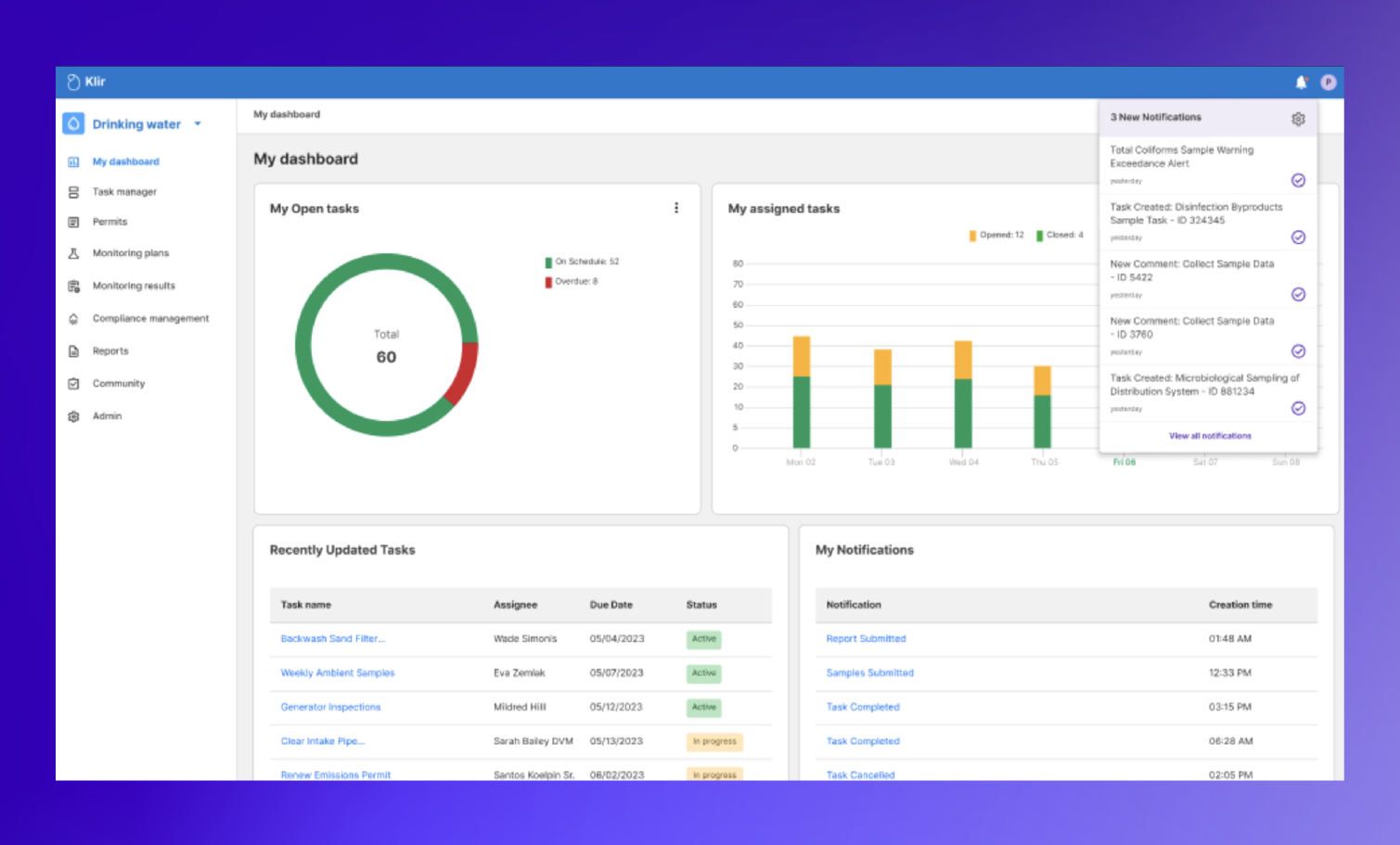
Klir is a single, unified operating system for water, pulling compliance, sampling, reporting and more into an easy to use dashboard.
Learn more about how Klir can help your organization manage permits, cut down on administration and record-keeping work, and provide a level of organization-wide visibility unmatched by other systems.

Using Better Data to Tackle the Industrial Pretreatment Challenge
In June of 2023, 3M agreed to a historic $10.3 billion settlement concerning PFAS, a class of harmful “forever chemicals” used in everything from nonstick frying pans to takeout containers to firefighting foam.
3M will pay out the settlement to any city and county water system in the US that finds PFAS in its waters–and to many utilities, that funding will provide desperately-needed capital to update infrastructure and equipment.
But there’s a catch: much of the funding comes with strict data and reporting requirements. You have to prove there’s PFAS in your system first, and that’s easier said than done, especially if your industrial user sampling and monitoring programs aren’t organized or up to date.
Whether you’re using Klir, other software, or even spreadsheets to manage your pretreatment programs, we believe these developments underline the importance of sound data management.
Bringing together crucial sampling information is important in more than just the typical enforcement action scenario, where a regulator steps in to fine a polluter. It can also mean the difference between benefitting from a historic settlement and missing out on millions in funding.
Not sure your pretreatment program has all the tools it needs? Here’s a step by step guide detailing all of the data it needs to capture and track to be successful.
Defining the Data Management Challenge
Industrial pretreatment programs can vary a lot depending on any particular industrial user’s situation, their NPDES permit, and the pretreatment permit issued by that user’s utility.
While Federal and State EPA are responsible for enforcement, much of the work involved in administering a pretreatment program ultimately falls on the shoulders of utilities, who must:
- Maintain an inventory of industrial users, permits and surcharges
- Prepare monitoring programs and track progress of compliance monitoring
- Generate and submit reports to regulators
- Manage violations and issue notifications to customers
This means that while pretreatment is ultimately an engineering challenge, there’s an equally important administrative and project management challenge utility managers have to tackle.
For larger utilities, this might involve many moving parts, including: site visits and inspections, customer information, sampling data, industrial user-provided records and data, etc all of which have to be stored and tracked.
It’s also a tricky balancing act: utilities must maintain good relationships with industrial customers while ensuring they stay on top of their obligations, and also pay attention to important changes in discharges, which can be difficult to do when all you have to look at are spreadsheets–or worse, physical log sheets.
When it comes time to enforce rules or get industrial users to comply with new regulations—as is the case with 3M and PFAS—utilities also need meticulous and complete records that regulators can rely on during an enforcement action.
From our perspective, the best way to achieve all of this is by building an airtight data management process that gives customers, utility workers and regulators access to reliable information quickly.

Step 1: Build a Digital Industrial User Inventory
The first step to building a successful pretreatment monitoring system is to build a master list or ‘inventory’ of industrial users.
Whether you’re building an inventory from scratch or just making sure your existing one is accurate, it’s important to keep it updated by regularly surveying documents like:
- Water billing records
- Business licenses
- Building permits
- Sewer connection permits
- Commercial directories
- Property tax records
- Fire Department emergency management plans and records
- Applications for water or wastewater service
Other sources that might be useful for updating and keeping industrial user inventories current include:
- Enforcement and Compliance History Online (ECHO)
- RCRA information, the Discharge Monitoring Report Pollutant Loading Tool, the Toxics Release Inventory, as well as the state’s hazardous waste generators list
- Your local chamber of commerce and other agencies such as utilities, code enforcement, health departments, and fire departments
If you just recently added a new user to the list, you might also want to send them a survey to gather more information, or schedule an in-person visit.
What Should My User Inventory Include?
In addition to basic information–ie: the company name, address of facility, name of a primary contact person, and the type of business or manufacturing process the company engages in–you’ll have to include important information about how each user connects to the water system and what they typically discharge, including:
- Estimates of water usage and process water discharged
- Types of hazardous wastes generated and how they’re disposed of
- NAICS codes,SIC codes and CFR 40 codes if required
- Process wastewater flow
You’ll also need to document the steps and procedures each user takes to fulfill their pretreatment obligations, including a description of existing on-site pretreatment facilities, a list of all environmental permits held by the discharger, and which pretreatment standards the user is subject to.
To save time, many utilities will update this information by completing regular surveys of all industrial users in their system. The Oregon Department of Environmental Quality has some helpful guidance for utilities looking to increase response rates to Industrial User Surveys, including:
- Develop an outreach strategy, and contact each facility before sending the survey form if you can, so they know it’s a legitimate and important request.
- Include a stamped, pre-addressed envelope for returning the completed survey, or label them such that when they’re folded they’re ready to send back through the mail.
- Make sure to request any address changes, in case any facility has moved.
Further Reading: Industrial User Survey Guidance - State of Oregon Department of Environmental Quality

Step 2: Build or Onboard a Streamlined Pretreatment Program Management System
Building a comprehensive list of users is important, but it’s just the first step in tackling the industrial pretreatment data management challenge.
According to the EPA, utilities also need to maintain robust procedures for tracking industrial user problems, and the best way to do that is by making sure all files and records are available and up to date in an internal information management system like Klir.
Building a Data Management System: a Checklist
At minimum, the system you use to manage these processes should be able to capture the following:
- Basic user contact information and all previous correspondence
- Permits and permit applications
- Any previously completed industrial waste questionnaires
- Monitoring data and inspection reports
- Records of pending and previous surcharges
- Engagement from IUs via a CROMERR-ready self-serve portal
These procedures should help you quickly identify areas that may require follow up activity, and provide background information on the facility that can be reviewed prior to conducting inspections at the facility.
If an inspector takes effluent samples as part of a site visit, for example, there should also be an easy way for them to upload them into the utility’s compliance tracking system and quickly determine whether there’s been a violation.
In addition to simply capturing and storing certain types of information, your system also needs to actively track and manage certain key variables and dates, including:
- Due dates for compliance submittals
- Compliance violations and enforcement activities
- User compliance history
- Calculations for local limits and user limits for compliance
Remember that field notes, checklists, records of inspections, investigations, samples collected, and related inspection information can each also become an important part of the evidence package used by the utility in an enforcement action, and can even be entered in court as evidence if properly maintained.
In addition to records for industrial users, your IPP management system should also keep records pertinent to the administration of the utility’s pretreatment program itself, including:
- Documents establishing legal authority
- Pretreatment program approval and modifications.
- Copy of the POTWs own NPDES permit
- Applicable federal and state regulations
- Local Limits development documentation
- Enforcement response plans
- Correspondence between POTW and the Approval Authority and EPA
- Public notices
While utilities have typically handled all of this information using spreadsheets, Klir manages all of this data for you in a centralized system that pings you if something goes wrong, removing a huge layer of stress and work from the process of managing your industrial users.
Step 3: Generate and Submit Reports to Regulators
Probably the biggest help a system like Klir can provide when it comes to managing industrial pretreatment programs is the ability to quickly synthesize data and generate reports.
Under NPDES, POTWs are responsible for submitting an annual pretreatment program report, which should include basic information like:
- An updated list or inventory of Industrial Users
- Which pretreatment standards the user is subject to
- A summary of the status of user compliance over the reporting period
These reports should also provide an up to date and accurate record of any regulatory actions the utility took over the last year, including:
- A summary of compliance and enforcement activities (including inspections)
- A summary of changes to the utility’s pretreatment program that have not been previously reported
- Any other relevant information requested by the approval authority
Compiling and submitting these reports can be a time-consuming process, and within a few years most utilities will be required to submit them digitally through the EPAs eReporting rule. Depending on your state, it may be through the same portal you submit your NetDMR through, the Central Data Exchange, or some other online portal.
.png)
How Klir Can Help
Klir Comply gives water utilities a single source of truth to centralize, streamline and automate their compliance program so they can reduce the risk of missing something important and drive operational efficiency. Industrial pretreatment is only the beginning of Klir Comply for Community. We innovate based on customer and market input. Join us in shaping the future of sustainability and fulfilling the vision of having an all-in-one operating platform for water management. Our Customer Success team is on standby to partner in your digital transformation journey.

Spreadsheets vs. Software: The 4 Biggest Risks of Using Excel for Utilities
Until a few years ago, no single piece of software brought together all of the information and functions crucial to running a water and wastewater utility.
Clunky legacy solutions often fell short or left gaps. Operators had to make due with haphazard, improvised solutions instead like:
- Manual SCADA Exports
- Post-it Notes
- Desk Drawers Stuffed with Documents
- Spreadsheets That Don’t Sync Up
But as more of our work moves online and low-cost digital tools have become widely available, the excuses for managing mission-critical information in this way are quickly running out.
Modern cloud-based software like Klir is making it easier than ever to capture what happens in our organizations faster, more reliably, and more safely than spreadsheets. All within a single, easy to use, dedicated platform.
As more water utility operators engage in digital transformation projects, it pays to ask the question: what exactly are we missing out on by sticking to our spreadsheets?
1. Hemorrhaging Critical Information and Losing Work
Spreadsheets are a leaky medium in general: when we start relying on them to organize critical processes or store large amounts of data, some of it inevitably gets lost.
Permitting is a common example of this. Many larger utilities often find themselves having to manage, catalogue, and maintain thousands of permits at a time. But when that documentation lives in dozens of different spreadsheets scattered across dozens of different computers, permitting data often gets duplicated, overwritten, misplaced, or lost entirely. That's because spreadsheets:
- Often rely on memory, specifically the memory of the person who initially created, formatted, named, and stored the spreadsheet.
- Become increasingly unstandardized as team members come up with their own private ways of storing information in them.
- Don’t automatically sync leaving documentation prone to confusing duplication, errors, and accidental deletion.
- Force team members into an opaque environment defined by information silos, rather than a single source of truth.
As the water industry confronts the ‘silver tsunami,’ the pressure for utilities to come up with a less leaky system for managing permitting and other kinds of mission-critical information is only increasing.
2. Losing Time on Repetitive Tasks
Spreadsheets tend to be popular with smaller or new organizations because they appear, at least initially, to take less time to set up than a dedicated information management system.
But the irony is that as the amount of information we store in them increases, spreadsheets take more time to maintain, not less. That's because spreadsheets:
- Don’t automatically populate, forcing employees to spend more time on data entry, pulling them away from more important tasks.
- Are difficult or impossible to integrate with other systems, such as scheduling software, email, GIS, SCADA, LIMS—and even other spreadsheets.
- Aren’t custom built for water. As the complexity and variety of tasks in our spreadsheets increases, the more work they take to set up and maintain.
3. Creating Data Hesitancy
Another symptom of spreadsheet reliance is that your staff is never fully confident in their information. That's because spreadsheets:
- Live offline, decreasing accessibility and transparency.
- Belong to different owners, increasing the risk of duplication and redundancy.
- Have no restrictions around version control, making mistakes hard to flag or trace back to their source.
- Usually contain out-of-date data, as they lack real-time capabilities.
4. Contain out-of-Date Data, as They Lack Real-Time Capabilities
In addition to being unreliable, spreadsheets simply aren’t as secure as the purpose-built tools that water operators have at their disposal today.
Whether you’re sharing spreadsheets over email or constantly swapping Excel files using local drives, spreadsheets create an information ecosystem that is difficult to secure, leaving your data vulnerable.
Why Does Software Beat Spreadsheets Every Time?
Enter modern cloud-based water operating systems (OS) like Klir. We fix these problems by providing a secure, centralized repository for critical reporting data and information crucial to plant operations.
By liberating information from spreadsheets and managing it this way, water utilities can:
1. Cut Down on Data Loss and Ambiguity
Dedicated platforms create a central, secure, and reliable collection point for all of your information, enabling you to:
- Simplify reporting and cataloguing, reducing the risk of duplicate or lost information.
- Reduce risk of regulatory violations by processing data in real time and creating a reliable source for compliance information.
- Liberate and preserve institutional knowledge by putting all of the utility’s critical assets in one easy to access location.
2. Save Time Through Automation
Software like Klir is built for tasks like permitting and sampling, making it easier to automate data collection and analysis, enabling users to:
- Automatically track and update tasks and targets in real time.
- Generate actionable reports with minimal effort.
- Rely on built-in failsafes that protect and ensure the integrity of your assets.
3. Enable Collaborative, Confident Asset Building
Unlike spreadsheets, dedicated software platforms enable collaboration and information exchange in real time, creating an environment that encourages staff to build and take care of information assets, rather than making it a chore.
Solutions like Klir allow water operators to build and share a single source of truth with their colleagues, removing the possibility of ambiguity and duplicates and giving operators confidence in their data.
4. Better Accommodate Growth and Find New Efficiencies
Using spreadsheets is a bit like looking at your organization through a keyhole. Centralizing and cataloguing your information using a dedicated platform, on the other hand, is like zooming out to get the full picture.
Aggregating information this way and looking at it through intuitive analytics tools opens up an entirely new world of possibilities for plant operators.
For the first time, you can see where trends intersect to identify cause/effect relationships and gain efficiency by identifying overlap in your internal processes. And as the amount of information your organization generates grows, those insights will only grow stronger.
The Bottom Line
Although spreadsheets are a lightweight, easy to use starting point, they quickly become a breeding ground for errors and data loss as demands grow. The time we spend maintaining them increases, and reporting confidence decreases.
Frustrated with spreadsheets? It’s time to start managing your operations data in a sustainable way that is built for the long term.
Klir is a dedicated platform that gives your team complete confidence that you’re compliant today, so you can plan for tomorrow.
.png)
On the Path to Full NPDES Compliance
Join the club to get a PDF version you can share with the team or take on-the-go.
Key Takeaways
- Wastewater compliance professionals often manage critical data across a patchwork of paper-based, legacy, and modern data management systems. These fragmented systems introduce risk when managing NPDES compliance because there is no single source of truth.
- To make progress on significant non-compliance under NPDES, wastewater utilities will need to adopt better data management tools. These can help cut down on repetitive administrative work, make reporting easier and promote a proactive approach to tackling effluent and compliance schedule violations.
- These technologies also present wastewater utilities with the opportunity to move ‘beyond compliance’ by adopting practices that promote resiliency and prepare them for longer-term risks.
Compliance with the National Pollutant Discharge Elimination System (NPDES) permit program touches every aspect of what wastewater utilities do—from the sampling and monitoring regimes they implement, to the way IT departments manage their data, to the way operators calibrate and maintain their equipment.
At the same time, many utilities today continue to struggle to consistently meet the terms of their permits. Between a third and half of all major NPDES dischargers report some kind of violation every year, and in 2018 more than one in five found themselves in significant noncompliance (SNC) with NPDES, garnering hefty penalties and hours of headache-inducing paperwork.
Although the EPA's National Compliance Initiative and programs like the Wastewater Expedited Settlement Agreement Pilot have made some inroads, noncompliance remains a problem for wastewater utilities and it pays to consider some of the steps operators, compliance managers and IT professionals can take to address it.
Getting to the Root of Significant Noncompliance
Although effluent discharge and compliance schedule violations are a big problem, according to the EPA more than half of all cases of SNC under NPDES are reporting violations, and 7 out of 10 wastewater SNC violations between 2018-2020 were triggered specifically by a permit holder failing to submit a Discharge Monitoring Report (DMR), the primary method by which dischargers self-report compliance with the conditions of their permits.
National Quarterly DMR Non-Receipt Rate, 2018-2019

What’s driving wastewater’s NPDES reporting problem? At a recent conference, EPA Office of Compliance head David Hindin suggested that everything from regulation complexity to workplace norms could be at play.
“Common sense and our professional judgment may provide an effective basis upon which to implement environmental compliance programs—except when they don’t,” said Hindin.
But while it may be easy to blame these failures on human error, the truth is that operators and compliance professionals at wastewater utilities often work in environments that are uniquely stacked against them from a data and reporting perspective.
- Sampling data is often trapped in log sheets, spreadsheets and SCADA systems, creating data opacity and discouraging proactive data analysis practices.
- The highly repetitive nature of reporting work itself—often involving the simple act of copying and pasting data from one source to another—creates a breeding ground for basic data entry mistakes.
- Compliance and reporting processes remain poorly documented, trapped in the heads of one or a handful of individuals at the wastewater utility, or not documented at all.
This guide lays out steps wastewater utilities can take to avoid these hurdles, do more with the data they already collect, use information technology to build resiliency and cultivate proactive practices, and ultimately set themselves on the path to full compliance under NPDES.
1. Fix the Gaps and Roadblocks in Your Compliance Data Workflows
Over the last two decades, a patchwork of paper-based recordkeeping, legacy software and more modern enterprise software has defined data management practices at wastewater utilities.
Newer data management software is giving wastewater operators the ability to move beyond this status quo, however progress has been slow.
Although many already do an excellent job of sampling and monitoring, it’s too often the case that those efforts are hindered by workflows that are out of date, hard to work with, or simply nonexistent.
Completing a Discharge Monitoring Report (DMR) for a large wastewater utility often involves wading through a variety of different datasets and software tools, and every bit of friction in that process increases the risk of noncompliance. Specific pain points include:
Outdated Legacy Systems
Many facilities continue to manually enter their data into physical log sheets or SCADA systems, which can cause problems when it comes time to get that data back out and into the hands of a regulator. Additional data entry work, unfriendly user interfaces and slow software can turn tasks that should take minutes into ordeals that can take hours.
Error-Prone Reporting Tasks
Much of the work involved in NPDES compliance and reporting is highly repetitive, often involving copying and pasting data over and over again from spreadsheets and formulas into reports, and creating numerous opportunities for human error. Worse still, manually moving data across documents makes it difficult to identify those errors later, and also opens users to the risk of data duplication or deletion.
Too Many Tools
While paper-based record-keeping can pose problems, loading up on too many software tools can create a situation that is just as painful from a reporting perspective.
"One of the difficulties with diving into the digital world is that you end up having an app for this, and then an app for that, and then an app for that,” points out Adam McKnight, Data Analyst for Halifax Water’s Water Quality Programs.
Digital transformation should be an important goal for every large wastewater utility, but spreading data across too many dedicated apps can make data management a time-consuming and frustrating experience.
Adopting Tools That Actually Work
While spreadsheets are currently the tool of choice at many wastewater utilities for managing, storing and analyzing compliance data, utilities will have to move past them if they’re to make any progress towards full compliance.
In a recent issue of AWWA Journal, Philadelphia Water Department environmental engineer Tyler C. Bradley points out how over-reliance on spreadsheets can contribute to “human error, lack of reproducibility, and lack of version control. While it is possible to overcome these by using a well-organized worksheet, the work is subject to these errors whenever a different user makes changes.”
The collaborative, cross-functional nature of work at wastewater utilities and the sheer volume of data they’re collecting means that we’ll need new tools that avoid these pitfalls and help users:
Automate Repetitive (and Easy-to-Automate) Tasks
The more repetitive the work, the more important it should be for a wastewater utility to automate it using procured or self-build data management software. Doing so can save administrators hours of busywork and cut down on the probability of human error.
Generate Reports
Compliance reporting and analysis often involves performing calculations on raw data, and doing so manually via spreadsheet can make it difficult for other users to review that work for errors. Entrusting this work to software that generates reports automatically can remove a significant amount of risk from this process.
Eliminate Application Overlap
When possible, utilities should prioritize software that integrates sampling, operations, research and other data and eliminates the need to context switch, learn new tools and create potentially overlapping datasets.

2. Use Data to Move From Reactive to Proactive Problem Solving
While NPDES reporting violations are a problem, they’re not the only source of significant noncompliance at wastewater utilities.
Even if better data management practices can make submitting DMRs a less painful process, effluent limit exceedances and compliance schedule violations will continue to be a serious problem, leading to operational headaches, EPA fines and poorer public and environmental health outcomes.
When implementing technologies that make it easier to report compliance and violations, it pays to consider how those same technologies can help wastewater utilities avoid violations in the first place—specifically by transforming wastewater problem-solving from a reactive process to a data-driven, proactive one. Specific ways that wastewater utilities can do this include:
Improving Remote Monitoring Capabilities
COVID-19 lockdowns across the country drove home the reality that the future of work is distributed and that the ability to access our work remotely is key to resilience.
Thankfully the water industry is already ahead of the curve in this respect: many utilities already manage thousands of infrastructure assets remotely using sensors, controllers and transmitters. Building on that success and bringing remote monitoring data into a single, easily accessible system can help utilities:
- Cut down on travel and site visits
- Implement more accurate notification and alert systems
- Shorten response times
- Scale new operations quickly
- Respond to unexpected staffing shortages
Increasing Access to Real-Time Data
Being able to monitor water quality, energy consumption, pressure levels and myriad other data points in real time also gives operators, engineers and compliance workers the opportunity to spot and address new trends before they become problems. Making sure those real-time figures are accessible via user-friendly console or dashboard will be increasingly important as wastewater utilities consolidate and build out their data management systems.
Adopting Tools That Make It Easier to Share and Collaborate
Wastewater utilities don’t need algorithms and complex math to use data to tackle compliance challenges. In many cases, finding ways to make sure data is available to the right people at the right time can be just as important.
That’s why tools that create opportunities for communication and data sharing between compliance, operations, engineering and all other business units within a wastewater utility are also crucial. For larger organizations, that often means centralizing data in a universal, easy-to-access system that provides a single source of truth.
3. Aim Beyond Compliance
Wastewater treatment facilities aren’t always perfectly designed, and the world outside of them is subject to constant change. Trends that could impact the ability of wastewater facilities to stay compliant and successful include:
- Urbanization and other fluctuations in population and flow
- Shifts in the needs of local industry
- The emergence of newly-regulated contaminants like PFAS
- Changing regulations and permit requirements
- Maintenance, design and equipment challenges
- Increasing budgetary constraints
Although it’s hard to beat compliance when it comes to north stars for wastewater utilities, if organizations are to truly succeed in an increasingly unpredictable future, they’ll have to build systems that account for the unexpected, build resilience and move beyond compliance as the sole goal.

Turn Data Graveyards Into Data Mines
The amount of data generated by wastewater treatment plants has increased exponentially over the last few decades.
One 2014 study found that a single large wastewater treatment plant (0.8-3 million population served) can generate upwards of 30,000 data points, encompassing everything from sampling data to GPS coordinates, call logs, field notes and more.
“Plant operators have an overwhelming stream of data at their hands, which is very difficult to process and analyze in a timely enough fashion to allow for better understanding or proper decision-making,” writes Lluís Corominas, a researcher at the Catalan Institute for Water Research.
To better understand and predict noncompliance in our wastewater treatment systems, we’ll have to move from seeing these vast databases as a liability—or as Corominas puts it, “data graveyards”—to a valuable asset that can be mined for actionable knowledge.
Leverage Machine Learning and Other Data Science Techniques
One benefit of adopting the data management practices and tools discussed earlier is that they open the door to more sophisticated forms of monitoring and analysis that ultimately allow utilities to do more with what data that they already have.
Machine learning methods that determine patterns within large datasets are one such technique that is already showing promise in the urban water sector.
- A recent pilot of machine learning tools for predictive control and advanced analytics at Singapore’s Ulu Pandan Water Reclamation Plant helped operators achieve a 15% reduction in aeration energy usage compared to conventional techniques.
- Similar techniques have recently been used to analyse wastewater data to determine the scale of local COVID-19 outbreaks in China and Canada.
- In 2018, researchers from Stanford also demonstrated how machine learning techniques could be used to double the number of Clean Water Act violations detected without increasing the number of inspections.
While many of these tools are still in their infancy, there’s no question that there are valuable insights to be gained from wastewater data, and that the sooner utilities can store, organize and centralize this data, the better.
How Klir Can Help
Klir is a single, unified operating system for water, pulling every aspect of wastewater management—including compliance, sampling and more—into an easy to use dashboard. Learn more about how Klir can cut down on administration and record-keeping work, create new opportunities for collaboration, and provide a level of system-wide visibility unmatched by other water data management systems.
.png)
How to Read and Manage NPDES Permits
Key takeaways:
- NPDES permits are long, complex and at times difficult to interpret for non-experts, and responsibility for them is often shared across teams that have an incomplete understanding of their contents.
- Reading your NPDES permit properly and making sure you’re reading the right version can help avoid confusion and mistakes when planning monitoring and compliance.
- Good recordkeeping and data management systems that centralize all permit-related reporting and correspondence can help everyone at your organization make sure they’re on the same page when it comes to your NPDES permit.
Few permits are as central to wastewater as National Pollutant Discharge Elimination System (NPDES) permits. But they’re also long, complicated and can be difficult to parse, which can lead to challenges around compliance.Large utilities might have several people responsible for different parts of an NPDES permit, which means information can sometimes get mistranslated or lost in the shuffle.Worse, since permits must be re-issued every few years, facilities sometimes run the risk of employees reading from an old version with outdated information.In this article, we’ll translate your NPDES permit into plain language. We’ll also go over some common mistakes people make when reading them, and discuss how good record keeping can help everyone at your organization make sure they're on the same page when it comes to your NPDES permit.
What is an NPDES Permit?
Anyone who discharges pollutants from a point source into a water of the United States requires a National Pollutant Discharge Elimination System (NPDES) permit from their state or EPA Region.Each of these terms is defined very broadly by the Clean Water Act, as decades of litigation have resulted in a cautious approach.If you’re not sure whether something qualifies as a pollutant, point source, or water of the United States, assume it does until you can confirm it.
Pollutant
A pollutant is “any type of industrial, municipal, and agricultural waste discharged into water,” according to the EPA. Nearly anything you can think of can count as a pollutant — including some that aren’t obvious, such as soil, heat, and sand.
Point source
A point source is “any discernible, confined and discrete conveyance,” per the EPA, which is a fancy way of saying “the part where the waste comes out.” Pipes, ditches, channels, conduits, etc. count as point sources.
Water of the United States
A water of the United States, according to the EPA, is any “navigable waters, tributaries to navigable waters, interstate waters, the oceans out to 200 miles, and intrastate waters which are used:
- by interstate travelers for recreation or other purposes, as a source of fish or shellfish sold in interstate commerce
- or for industrial purposes by industries engaged in interstate commerce.”
How Are Permits Issued?
Organizations apply for a permit through their state’s environmental regulatory agency or their regional EPA contact using the forms on the EPA’s NPDES portal.Who to apply to depends on the status of NPDES programs in your state or territory. If your state is partially authorized or unauthorized according to the map below, ask your regional EPA contact for guidance.
NPDES Program Authorizations as of July 2019

Permits are valid for five years. But that doesn’t mean you should file them away and forget about them. NPDES permits require regular upkeep to stay inside the bounds of the EPA’s guidelines.If your facility’s effluent output changes, for instance, you’ll need to update your permit.
What Does a Typical NPDES Permit Look Like?
NPDES permits can vary in appearance. State-issued permits might contain the logos of that state agency, for example. They might also use different terminology—for example, New York has its own version of NPDES called the State Pollutant Discharge Elimination System (SPDES). But each of these permits follow the same outline and use similar language.You can find digital copies of every federally-issued NPDES permit on the EPA website, and most state-issued permits are accessible through each state agency’s website. (California’s State Water Resources Control Board makes all their permits available here, for example.)
The Main Parts of an NPDES Permit
All NPDES permits contain at least five sections:
- A Cover Page including the name of the discharger, the permit number and the exact location of the discharge(s) and outfalls covered by the permit.
- Effluent Limitations laying out what pollutants the permit holder can discharge, how much and how often.
- Monitoring and Reporting Requirements that outline what the permit holder will do to stay compliant.
- Standard or General Conditions that apply to all NPDES permits and delineate the legal, administrative, and procedural requirements of the permit.
- Special Conditions that might include additional monitoring activities, special studies, best management practices (BMPs), and compliance schedules.
Here’s what you can expect to find in each one:
1. Cover Page
The permit cover page is a snapshot pf the most basic information about your NPDES permit, including:
- the name of the discharger
- the discharger's address
- a nine character NPDES permit number
- the receiving waters
- the exact location and coordinates of the discharge(s) and outfalls
- when the permit comes into effect and expires
If you’re unsure whether the permit you’re looking at is up to date, the cover page should also have an Effective Date and an Expiration Date you can reference.The cover page is usually followed by a schedule or list of submittals, which summarizes which reports you’ll have to submit to stay compliant, including Discharge Monitoring Reports (DMRs); applications for permit renewal; and noncompliance reports.
2. Effluent Limitations
Effluent refers to the pollutants that remain in wastewater after it’s discharged to surface waters. This is the most important part of your permit—it’s the reason it exists.There are two categories of limits to know about:
- Technology-based effluent limits are minimum standards that broad categories of facilities must meet.
- Water quality-based effluent limits (WQBELs) are in place to deal with pollutant concerns in a specific body of water due to the specific pollutant being discharged.
WQBELs are usually in place in small streams with little flow, waters that are very close to violating water quality standards, or waters with very few pollutants that regulators feel should be protected.Effluent limits themselves are defined using the following terms:
- Load limits refer to the total amount of pollutant allowed per day, usually in lbs.
- Concentration limits refer to the amount of a particular pollutant that is allowed in a volume of water discharged, usually in milligrams per liter (mg/l) or parts per million (ppm).
- Monthly or 30-day average refers to the amount of pollutant you can release per day, over a monthly period.
- Weekly average means the same thing — but weekly.
- Daily maximum is the highest total amount of a pollutant you can release per day.
Allowable wastewater flowThe average (design average flow) and maximum (design maximum flow) number of millions of gallons per day (MGD) of wastewater that your facility can discharge may be listed on your permit in this section.Effluent limits are usually recorded in table form, with effluents in the leftmost column and limits on the right.The Effluent Limit table on Page 5 of the NPDES permit for the Brightwater Wastewater Treatment Plant in King County, Washington, for example, lists five parameters: Biochemical Oxygen Demand (BOD), Total Suspended Solids (TSS), Total Residual Chlorine, pH and Fecal Coliform Bacteria.

3. Monitoring and Reporting Requirements
This section lays out what kinds of samples must be taken and how often they must be reported. Some key terms to look out for here include:Sample frequencyYour permit will let you know whether you must obtain samples daily, weekly, or monthly.Sample type
- Continuous samples are taken constantly.
- Grab samples are taken at a specific time not exceeding 15 minutes.
- Composite samples are collected over time by continuous sampling or by mixing grab samples.
Whole Effluent Toxicity (WET) testingSome permits will require WET testing, which measures the chronic and acute toxicity of the effluent as a whole—instead of just the concentration of each pollutant.Instream monitoringSome permits will require you to monitor not just the output of your effluent, but its impacts. This could include surveying sea life for health, sampling upstream and downstream, and more.Stormwater contamination controlMunicipal operators are often required to plan for stormwater runoff — including how effluent will change, where the stormwater will go, and a detailed sitemap.Municipal pretreatmentMunicipal sewage plants will often have to spell out their pretreatment program. If your facility discharges more than 5 million gallons per day, you probably have one such program.
4. General Conditions
This is an all-inclusive housekeeping-type section that includes when the permit holder must reapply for a new NPDES permit, when the facility can be inspected, and how to comply with state-specific laws.It also deals with how the permit holder can navigate noncompliance, including their responsibilities and penalties for breaking rules. And it also lays out when, where, and how the permit holder must send notice to the authority for changes to their facility.
5. Special Conditions
This section outlines everything the permit holder needs to do to remain compliant outside of sticking to the effluent limitations outlined in the previous section. This might include:Additional monitoring and special studiesThis includes any sampling or testing that supplements or goes beyond regular monitoring. Treatability studies, toxicity identification evaluations, mixing or mixing zone studies, sediment monitoring, and bioaccumulation studies will all be referenced here.Best management practices (BMPs)These are any specific activities or prohibited practices your facility must adhere to, maintenance procedures it will have to follow, treatment requirements, and operating procedures to control things like spillage or leaks.Compliance schedulesSome permits may include a schedule that provides the permit holder with more time to fix issues identified with their facility in the past. Examples include construction and inspection dates, pretreatment program development, and sludge disposal program implementation.
Common Mistakes People Make When Reading an NPDES Permit
These permits are often dozens of pages long and contain a lot of confusing jargon. There are any number of mistakes one can make while reading through it. But the most common ones tend to fall under the following categories:
1. Ignoring State-Specific Rules
Make sure you’re interpreting your permit based on the rules in your state, since they vary. These are usually outlined in the “General Conditions” section.
For instance, some states list a design maximum and design average flow of wastewater in MGD — though many don’t. Some states define the weekly average as going through Sunday to Saturday, while others define it as Monday through Sunday.
If you’re ever unsure about a part of your NPDES permit, seek out your state's specific NPDES guidance documents or call your local authority for clarity.
2. Reading the Wrong Permit
Make sure you’re reading the most up-to-date permit available by checking the cover page for the Effective and Expiration dates of the permit.
Your organization may have altered its NPDES permit recently and it can do so at any time.
Permits can be changed or updated when a wastewater treatment facility expands, changes ownership, updates its pollution control technology, or for many other reasons.
Permits will also be re-issued after they expire. But new permits are not always the same as the expired ones.
You should receive a fact sheet along with your NPDES permit. That sheet should outline the changes. But don’t count on it — call your authority and ask to make sure.
3. Misinterpreting Sampling Requirements
The type and method of sampling will vary greatly from permit to permit.
Know the difference between continuous, grab, and composite samples. Know what you’re sampling for. And know whether you’ll have to do WET testing, instream monitoring, or any of the other requirements listed above.
Remember, your permit will tell you whether you have to monitor your pollution output based on daily, weekly, or monthly averages.
4. Ignoring Additional Reporting Requirements
Every NPDES permit is different, and every wastewater facility is also different. Even if you’ve worked with other NPDES permits in the past, it pays to make sure you’re aware of all the rules and requirements that might be specific to your facility or organization.
How a Good Permit Management System Can Help
If navigating an NPDES permit itself wasn’t difficult enough, keeping track of all the additional paperwork involved in NPDES compliance—including Notices of Intent (NOIs), Municipal Separate Storm Sewer System (MS4) Program Reports, annual reports, and so on—can be downright frustrating.And it only gets worse when multiple staff members at your organization need access to that information.With all of that paperwork swirling around, the risk of making compliance decisions based on outdated permit information skyrockets.That’s why in addition to making sure staff are able to read and understand them, it’s crucial that organizations store all of their permit documentation and related correspondence in a single, centralized permit management system that allows team members to:
- Keep track of and set alerts for important permit-related deadlines
- Generate permit reports automatically
- Break down silos and make reliable permit information available across departments
- Prevent lost, duplicate or outdated documentation
Eliminate Permit Confusion With Klir
Klir is a single, unified operating system for water, pulling every aspect of wastewater management—including compliance, sampling, reporting and more—into an easy to use dashboard.Learn more about how Klir can help your organization manage permits, cut down on administration and record-keeping work, and provide a level of organization-wide visibility unmatched by other systems.
.png)
How to Read and Fill Out Discharge Monitoring Reports (DMRs)
Key Takeaways:
- One of the single biggest drivers of NPDES non-compliance is failure to properly submit a Discharge Monitoring Report (DMR).
- Staying compliant will mean cutting down on the major sources of DMR errors, including data management problems, calculation errors, confusion around state rules, and lack of clarity around permit rules in general.
- New data management technologies like Klir can help wastewater utilities cut down on errors, automate away the most repetitive aspects of DMR reporting and help utilities achieve their NPDES compliance goals.
Wastewater operators deal with a lot of paperwork in their day to day. But perhaps no single report is more central to wastewater than the Discharge Monitoring Report (DMR), the form wastewater utilities use to self-report compliance with environmental law in the United States.
If your facility is issued a National Pollutant Discharge Elimination System (NPDES) permit that requires sampling and monitoring, it must submit DMRs. The frequency with which you must submit DMRs is usually specified in the permit, and most reporting intervals are monthly, quarterly, semi-annually, or annually.
Although state and federal regulators will usually be the first to see them, DMRs aren’t just a tool for regulation. They’re also posted to the EPA’s Enforcement and Compliance History Online (ECHO) database, where they become an important resource for environmental groups, researchers and other members of the public.
DMRs and NPDES Non-Compliance
According to the EPA, more than half of all NPDES permit violations are reporting-related, most of which involve a permit holder failing to submit a completed DMR to the EPA or appropriate state agency.
As the EPA increases its efforts to crack down on significant non-compliance (SNC), eliminating reporting errors & delays will be more important than ever. Here we’ll review some of the most common submission errors that EPA officials encounter when reviewing DMRs and explore how better data management can help avoid them.
Submitting a DMR: the Basics
As of December 21, 2016, the EPA requires that DMRs be submitted electronically. Which tools you use to report electronically will depend on which state you’re in and which authority issued your permit.
Most states either use NetDMR, a web-based tool provided by the EPA that allows you to electronically sign and submit DMRs, or a state-specific electronic discharge monitoring report system (eDMR).
As of January 2022, Nevada, Kansas, Oklahoma, Missouri, Ohio, West Virginia, Pennsylvania, Virgina, North Carolina, South Carolina, and New Jersey only use eDMRs, while all other states use both or just NetDMR.

How to Fill out an Electronic DMR
The NetDMR and eDMRs interfaces can vary, so we’ll refer to the sample physical DMR form provided by the EPA for simplicity’s sake here.

The main purpose of a DMR is to report sampling data. Maximum, minimum and average sample measurement data are recorded in each row for each parameter, as well as:
A. The number of exceedances, which is the total number of sample measurements that exceed the daily maximum, daily minimum and weekly average permit limits.
B. The frequency of analysis, “01/07” for once a week, “01/30” for once a month, and so on.
C. The sample type, with “GRAB” indicating an individual sample, “24HC” a 24-hour composite sample, and “CONT” indicating continuous monitoring.
But that isn’t the only information you’ll need to fill out a DMR. You’ll also need:
- The permittee’s name and mailing address.
- A facility address (if different from above).
- A nine character NPDES permit number.
- A four character discharge or outfall number.
- The monitoring period for this particular DMR, written out in Year, Month, Day format. For example, a January 1st to March 31st monitoring period would be written out as: “22 01 01 to 22 03 31.”
- The parameters specified in the NPDES permit. Each box must contain only one parameter name as well as the relevant STORET code, and parameters must be recorded in numeric order (by STORET code).
- See "A, B and C" above.
- The name or title of the Principal Executive Officer or Authorized Agent signing off on the DMR. (Who qualifies here should be spelled out in your permit.)
- The Original authorized signature of the Principal Executive Officer or Authorized Agent.
- The telephone number of the Principal Executive Officer or Authorized Agent.
- The date of the signature, in Year, Month, Day format.
Avoiding the Most Common DMR Errors
While everything from miscalibrated equipment to poor data management can contribute to reporting problems, according to the EPA and state administrators who read them, the most common DMR errors tend to fall into the following broad categories:
1. Not Reading or Understanding Your NPDES Permit
One of the most common mistakes operators will make is to gloss over important details of their permit, which should contain most of the information you’ll need to start filling out a DMR.
To avoid this, review an up to date version of your NPDES permit carefully and pay particularly close attention to:
- Whether the permit has been re-issued recently, and whether any of the requirements have changed since the last version.
- The load and concentration limits listed in the Effluent Limitations and Monitoring section of the permit, which may be measured over different periods of time and vary by parameter.
- If the permit is new, make sure the load and concentration limits agree with each other by converting concentration limits into load limits, or vice versa.
- Any additional reporting you might be required to do for biosolids, biomonitoring, industrial pretreatment and so on.
If anything about your permit isn’t clear, contact your permitting authority for clarification.
2. Forgetting State-Specific Rules
The language, definitions and requirements that permit writers use can vary quite a bit from state to state, and different state authorities also have different guidance documents that you need to follow when filling out a DMR. Some of these are available online (see the end of this guide for a full list) while others you might have to ask for.
But as the EPA’s Emilio Llamozas points out in a recently-published webinar, there are certain variations across state lines that routinely cause confusion. These include:
Definitions and Permit Language
Sometimes the way that your state understands or defines a word might not match up with your definition of that word. For example, although most NPDES permits make reference to monthly and weekly averages, not all states define those time periods the same way.
- Some might define the “weekly average” as the week going through Sunday through Saturday.
- Meanwhile a permit in another state might define it as going from Monday through Sunday.
You might get different results with the two different definitions, so it pays to get clear on which one your permit is referring to.
Recording Non-Detects
Some states might require you to record non-detects using the < symbol, accompanied by the method detection limit, while other states require that sample results below the practical limit of quantification be reported as zeroes.
Other states might require you to use a no data indicator (NODI) code, specifically NODI code B, when the result is less than the method detection limit.
Practical Quantification Limits
Your permit might or might not also specify Practical Quantification Limits (PQLs), which indicates the minimum concentration of a substance that can be accurately measured in routine laboratory operating conditions.
For example, your permit might provide a PQL of 5 μg/L for copper. If your current method of measuring copper has a PQL of 6 μg/L, you’re out of compliance with the permit’s PQL requirement and you’ll have to use a different method.
Additional Monitoring
If you monitor any pollutants more frequently than is required by your permit, your permit might require you to indicate and include those results in your DMR. Same goes for any erroneous or incomplete measurements, which you’ll need to make note of in the comments section of the DMR.
Rounding Numbers
Significant digits and rounding numbers can also be a source of confusion. The American Public Health Association’s rules for rounding, which most states use and can be tricky to follow, are a good example of this.
Numbers that end in 6, 7, 8 or 9 are rounded up, and numbers ending in 0, 1, 2, 3 or 4 are rounded down—so far so good. But if you’re dropping a 5 digit, the previous digit is rounded off to the nearest even digit.
So for example:
- 1.05 would be rounded off to 1.0 (not 1.1), because 0 is the closest even digit.
- 1.15 would be rounded off to 1.2.
- 1.45 would be rounded off to 1.4 (again, because 4 is the closest even digit).
3. Data Mismanagement
The movement of data from the lab where it is originally collected to the DMR can create lots of opportunities for error, which is one reason why so many utilities have pushed to adopt digital tools for data management and reporting in recent years.
But as the EPA’s Juan Ibarra points out, whether you’re getting data from an external lab or an internal one, it’s ultimately your responsibility to check the data you’re plugging into the DMR to make sure it’s accurate.He suggests that the best way to avoid this is to do what EPA inspectors do and “follow the data,” tracing it from the bench or worksheet, to the Monthly Summary, and finally to the DMR, taking particular care to:
- Make sure the DMR mirrors the permit when it comes to parameters, frequency, sample type and location
- Run the calculations for each parameter
- Look at other review periods if you notice something wrong in the current one
4. Calculation Errors
It’s rarely the case that the units in your permit will line up exactly with the units in your raw sampling data. You’ll need to perform calculations to convert that data to the units required in the permit, but when those calculations are performed by hand, they can become a major source of errors, which might include:
- Calculating monthly average loading using average flow and average concentration of pollutant instead of dividing total loading calculated for each sample day by the total number of samples.
- Calculating maximum loading using maximum flow and highest concentration of pollutant (daily maximum loading does not necessarily occur on the same day as the daily maximum concentration).
- Trying to average a pH value (the pH scale is logarithmic).
- Calculating Fecal Coliform as an arithmetic rather than a geometric mean.
- Calculating monthly average concentration without weighting it for flow.
- Including data that falls outside of the month you’re calculating for in a monthly average calculation. (This usually happens when a week falls across two months and the 7-day average you calculated for that week finds itself into the monthly average.)
In addition to double checking your calculations for these specific figures yourself, it might also be worth running all of the calculations you perform for a DMR by a second person at your organization trained to perform those calculations.
How Digital Tools and Consolidation Can Help
Managing, storing and analyzing compliance data properly can be difficult—but it’s also crucial if operators want to avoid making errors in their reporting.
Filling out a DMR often involves wading through numerous different datasets, forms, spreadsheets, and other software tools. Constantly switching between data sources this way increases the chances of error and makes it difficult to check your work if you ever do decide to retrace your steps.
Consolidating all permit, monitoring, and sampling data and managing it using compliance software built specifically for wastewater utilities (such as Klir) can help operators:
- Automate simple repetitive tasks like copying and pasting, saving hours of busywork and cutting down on errors.
- Generate reports automatically and entrust math to software, cutting down on calculation errors.
- Eliminate application overlap and the need to context switch between paper-based and digital tools, eliminating the risk of creating overlapping data.
- Make sure that everyone who needs to access NPDES permits knows where they are, cutting down on risk of permit misinterpretation.
State-specific DMR guidance documents
In addition to the common mistakes reviewed above, you’ll need to review your own state’s guidance for DMRs in order to get the most accurate picture of what to avoid when completing one.
Many states have published guides specifically for filling out DMRs, some of which are available on the internet and are listed below. At the same time, some of these guides may contain out of date information. The fact remains that the best way to get clear on DMRs is to talk to your state and use it as a resource.
State Agency DMR Guidance Document
- Arkansas Department of Environmental Quality NPDES Reporting Requirements Handbook
- Connecticut Department of Environmental Protection Discharge Monitoring Report Instruction Manual
- EPA Region 6 (New Mexico, Oklahoma, Louisiana, Arkansas, Texas) NPDES Reporting Requirements Handbook
- Federal EPA NPDES Self-Monitoring System User Guide
- Florida Department of Environmental Protection Helpful Tips for Completing DMRs
- Minnesota Pollution Control Agency MPCA Wastewater Permit User's Manual - NPDES and SDS permits
- New York State Department of Environmental Conservation DMR Manual For Completing the Discharge Monitoring Report for the State Pollutant Discharge Elimination System (SPDES)
- New Jersey Department of Environmental Protection NJPDES Monitoring Report Form Reference Manual
- Oregon Department of Environmental Quality Completing Discharge Monitoring Reports (DMRs)
- Oklahoma Department of Environmental Quality Guide to Preparing eDMRs
- Pennsylvania Department of Environmental Protection Discharge Monitoring Reports: A Guide to Electronic and Paper DMR Reporting
- Rhode Island Department of Environmental Management Rhode Island Pollutant Discharge Elimination System (RIPDES) Discharge Monitoring Report (DMR) Instructions
- Vermont Department of Environmental Conservation eDMR tip sheet,(NODI Codes) and Measurement Frequencies
- Washington State Department of Ecology Information Manual for Treatment Plant Operators
- West Virginia Department of Environmental Protection NPDES Reporting Reference Manual
De-risk NPDES Data Management and Reporting With Klir
Klir is a single, unified operating system for water, pulling every aspect of wastewater management—including compliance, sampling, reporting and more—into an easy to use dashboard. Learn more about how Klir can cut down on administration and record-keeping work, create new opportunities for collaboration, and provide a level of system-wide visibility unmatched by other water data management systems.

How Should IT Departments Adapt to EPA eReporting?
Look out! It’s coming: EPA’s National Pollutant Discharge Elimination System (NPDES) Electronic Reporting Rule (catchily referred to as the “NPDES eRule”) reaches full effect on December 21, 2025. And it’s up to water utilities’ IT teams to bring them into compliance. The NPDES eRule requires water utilities to move all their reporting to a standardized, digital format, using online portals either provided by EPA or custom-created by individual states. That means no more submitting spreadsheets, docs, or PDFs by email, and certainly no more hard copy paper reporting by snail mail.December of 2025 may seem a long way off, but the NPDES eRule is broad, sweeping, and impacts every form of EPA reporting a water utility is responsible for. IT teams need to get moving now if they’re going to meet new compliance requirements on time.
This article provides all the information you and the rest of your team needs to understand new electronic reporting regulations, and bring your water utility up to date ASAP.
What Is Electronic Reporting?
For the purposes of this article, “electronic reporting” (or “eReporting”) refers to using standardized online tools or web portals to submit reports to EPA. This is distinct from submitting reports by email, which many utilities did (and still do).The NPDES eRule was published on October 22, 2015, and came into effect December 21, 2015. It’s still in the process of being implemented. It will be fully implemented on October 22, 2025.The eRule has two phases: Phase I and Phase II.Phase I of the NPDES eRule is already in effect. It only requires utilities to eReport DMRs.Phase II was slated to come into effect December 2020, but the deadline was extended. On September 23, 2020, EPA signed an extension into effect. The new effective date for Phase II is December 21, 2025.The full list of reports affected by Phase II include (per EPA’s website):
- Notices of Intent to discharge (NOIs) under a general permit
- Notices of Termination (NOTs) of coverage under a general permit
- No Exposure Certifications (NOEs) under a stormwater general permit
- Low Erosivity Waivers (LEWs) under a stormwater general permit
- Concentrated Animal Feeding Operation (CAFO) Annual Program Reports
- Municipal Separate Storm Sewer System (MS4) Program Reports
- Pretreatment Program Annual Reports
- Significant Industrial User (SIU) Bi-annual Compliance Reports in municipalities without approved pretreatment programs
- Sewer Overflow/Bypass Event Reports
- Clean Water Act (CWA) Section 316(b) Annual Reports
As you’ve probably already realized, preparing these reports is much more labor intensive than preparing DMRs. For every instance at your water utility where they exist in the form of spreadsheets or written documents, you will need to convert these documents to electronic formats compatible with new eReporting standards. The most effective way to prepare for the full, Phase II rollout of the NPDES eRule is to transition now to a compliance and reporting system that is compatible with EPA’s new online reporting systems.
What Stage Are You at in Your Electronic Reporting Journey?
In order to get a clear idea of what steps your department must take to implement new, eRule-compliant reporting at your water utility, it’s essential to complete an audit of your current system. Refer to the following categories to get an idea of where you stand, and plan the next steps you need to take to fully digitize your reporting and become compliant with eRule.

Stage 0: Cluttered Desk
Your reporting systems are tied up in a byzantine system of printouts, hard media (anything from floppy disks to USB sticks), and even the occasional quilt of Post-It notes. Completing a report means cracking open the filing cabinets of multiple stakeholders, and sometimes literally digging up old files.If this sounds like your utility, you can take some comfort in the fact that you are not alone. A surprising number of water utilities across North America are still using analog—and often disorganized—systems to store and transmit data.It comes with a lot of potential pitfalls, including:
- Hard copy data lost in transit or misplaced
- Files without backup copies being damaged or destroyed
- Significant time costs associated with manual and analog processes
- Loss of access to documents as older team members retire
If you’re at Stage 0, you’re most likely still filing reports by snail mail. You’ve got a long road ahead of you to come into compliance with the NPDES eRule. The good news is that, if you start now and get set up with a digital system that’s in full compliance with the new reporting standards coming into effect at the end of 2025, you should be able to meet the deadline.

Stage 1: Basic Electronic Reporting
You create, share, and file your reports (and associated data) on the computer. When filing reports or sharing information with colleagues and across organizations, you save data in the form of Microsoft Office or Excel files, or PDFs, and send them as attachments to emails.All of the digital data at your water utility is stored in-office, on employee computers, or on a shared local server accessible via intranet.Common pitfalls at this stage include:
- Lost data, as hardware is upgraded or experiences failures
- Duplicate data, in the form of multiple files stored natively on different employees’ desktops (changes to files aren’t synced, so different copies may disagree with one another)
- Vulnerability to viruses and ransomware
- Danger of sabotage or information theft. Email is one of least secure means of transmitting data online, and leaves you open to interference from a variety of bad actors, from amateur hackers to hostile foreign governments
- Information islands. An individual who relies on DIY Excel “cheat sheets” to access data or complete reports can become a weak link in an organization. When such an individual leaves on vacation or retires, even if their files are accessible, they aren’t necessarily usable by other people in the organization—leading to knowledge gaps and stalled workflows
If your water utility falls under this category, you’re one step closer than Stage 0 to meeting the requirements of the NPDES eRule. But, broadly speaking, you still have the following steps to complete:
- Assess the scope of migrating to a new compliance and reporting system compatible with the NPDES eRule
- Compile data from across disparate storage methods and file formats
- Input it into the new system
- Retrain personnel in the new system
- Adapt workflows so that all data entry and recall and report filing are completed exclusively within the new system
Completing Step 1 should help you understand the time cost of the transition. The sooner you get started, the better.
Avoid Spreadsheet Overload With SaaS
Think you can get by on spreadsheets? Think again. Using spreadsheets as databases often creates more problems than it solves. Download the guide and book a demo of Klir today.

Stage 2: Web-based
Your water utility is already using a reporting and compliance system that is fully compatible with the NPDES eRule.This system could be:
- Fully customized. As a one-time purchase from a software company, your water utility management suite was custom-coded by their in-house engineers to meet the specific needs of your organization. Most likely, it’s locally hosted on your own servers. Changes to the software may require hiring engineers to modify the code.
- Fully configurable. The software you use was created with as many configurable variables as possible, so it can be used by a large number of utilities across a wide range of use case scenarios. It’s hosted externally, in the cloud, using standard bank-grade encryption. The software automatically updates to ensure it’s always in compliance with changes to reporting standards.
You can learn more from our article, Configurable vs. Customizable Software: A Cost-Benefit Breakdown. In either case, your system should be up to the task of completing, filing, and storing copies of reports in accordance with the NPDES eRule. If it isn’t, you should contact the manufacturer regarding updates—or else begin looking for a new software solution. If you have a system like this in place, you’re head and shoulders above most water utilities in terms of coming into compliance with new reporting standards and improving the overall performance and data security of your organization. If you don’t have a system like this in place, getting to Stage 2 should be your number one priority. It’s the surest way to help ensure you’re in compliance with the new rules.On top of that, using a web-based compliance and reporting system means:
- Data entry is easy. Predetermined forms and fields set specifically for your needs and standardized across the organization streamline the process of entering data and keeping it securely stored.
- You spend less time searching for forms and information. A searchable database with organization-appropriate tagging makes it easy to look up info when you need it. No more long email threads as you try to track down misplaced files.
- Everyone is on the same page. Whether data is hosted on a local server or in the cloud, team members are always referring and making changes to the same, authoritative file. No more out-of-sync duplicates.
To better understand the benefits of a web-based solution, check out our article, Why SaaS Makes Sense for Water Now More than Ever Before.

Stage 3: CROMERR and the Future
Even though Stage 2 should be your number one goal, there is an extra level of compliance that will soon become relevant to your water utility. The Cross-Media Electronic Reporting Rule (CROMERR) sets standards for NPDES-compliant electronic reporting systems. In particular, it ensures that all data entered is legally defensible, and includes a Copy of Record.
To be clear: It isn’t up to your water utility to apply for CROMERR. Rather, software manufacturers for water utilities must ensure their products are compliant and apply. CROMERR is not fully in effect yet. However, if you are choosing an electronic reporting and compliance system for your water utility, before purchasing one, you should either make sure it is already CROMERR-compliant, or that the manufacturer has a clear timeline for bringing its software in line with CROMERR standards.
The Time for Action Is Now
EPA’s new eReporting rules may seem like a major obstacle. And there is no denying that, for many water utilities, becoming compliant will take a considerable amount of planning and effort.But these new standards are simply an indicator of the direction water utility reporting is headed. Across a wide range of industries, fully digital and cloud-based reporting and data storage are becoming the norm. Utility reporting is no different. There are many benefits that come with bringing your water utility in line with the new requirements, including increased efficiency and less risk of data damage, loss, or theft. Even if making the transition poses some difficulties, it will pay off in the long run.
If your water utility is at Stage 0 (“Cluttered Desk”), you can save yourself a significant amount of time and energy by skipping Stage 1 and going straight to Stage 2. Plugging data into spreadsheets is a stopgap solution, at best. Eventually, all utilities will need to become NPDES eReport compliant, and that means using a web-based solution like Klir.
Harness The Power of SaaS With Klir
We believe that utilities deserve world-class software custom-built for the water industry. Ready to see how scalable, flexible, continuously improving SaaS tools can help your utility overcome its biggest data challenges? Book a demo and get a demo of Klir today.
.png)
Drinking From a Firehose: Stop Fighting Fires and Make Real Progress on Your Utility’s IT Strategy
You have dozens of unanswered calls on your phone, and your desktop is overflowing with support tickets. Your GM needs your help recovering files from their laptop, and you aren’t even an hour into your workday. Forget about an IT strategy—you're just focused on staying afloat. Sound familiar?When you’re an IT professional at a large water or wastewater utility, staying on top of day to day tasks can feel like a challenge. If you aren’t attending to a deluge of support requests or fighting fires, you’re worried about keeping legacy systems online or attending to a backlog of security updates. Instead of preparing for the future, you’re just worried about staying afloat.Rather than let this tidal wave wear you down, we’ve developed a few strategies to help you stem the flow, give your team room to breathe, and implement practices that deliver exceptional service in the long run.
1. Make Self-Service Support as Easy as Possible
Few things are as frustrating for an IT team as having to field the same question over and over again. It gets in the way of more important work, and if you aren’t careful it can make the rest of your organization unreasonably dependent on IT to solve non-technical issues.That’s why one of the quickest ways to stem the flow of repetitive support tickets is to anticipate them with a great internal FAQ, wiki or central knowledge repository—basically somewhere you can direct users who have questions you’ve answered many times before.Building out one of these resources can have implications that reach beyond IT. In fact, the average employee spends about 9.3 hours a week poring over email threads and other communications searching for internal company information they need to do their jobs.In addition to cutting down on support tickets, an IT knowledge repository can play a crucial role in onboarding and make your organization more friendly to new users in general, create discipline around which tools your organization uses, and also offers you the opportunity to proactively communicate a digital strategy to the rest of the organization in the form of a digital playbook.
2. Get the Rest of Your Organization Involved in Your IT Strategy
Another great way to anticipate and fix problems earlier is to involve team members more closely in your IT strategy by establishing a committee or council composed of directors across the different departments in your organization.Getting managers to flag and discuss broader IT problems in this way won’t just cut down on support tickets. It also lets you offload some of the burden of implementing your digital strategy, gets everyone on the same page when it comes to tools, and will make staff in general feel more invested in your IT strategy in general.Involving people in your IT strategy this way also helps you avoid so-called custom “shadow IT” initiatives pursued by impatient managers. These can be terrible for IT workflow: they introduce tools and systems that the rest of the organization is unfamiliar with, emboldens other departments to do the same, and could bring your organization to a grinding halt if the manager responsible ever goes on vacation.

3. Choose Low-Maintenance Tools
When procuring new software, keep an eye out for tools that empower your users to be self-sufficient, rather than having to depend on you or an external consultant for instruction.
Use Cloud-Based Tools by Default
A great way to do this is to default to cloud-based tools, which require less time to set up, don’t have a backend for you to worry about, and are often designed to be more intuitive and customer-facing.
Talk to Your Users
Are there any tools or software that staff at your company already use privately, or have experience using at other jobs? If so, implementing them officially could be a great way to save onboarding time and make your users even more self-sufficient.
Explore ‘No Code’ Solutions
Another way to make the software your organization uses more friendly to team members is to leverage so-called ‘no code’ solutions, which offer non-technical team members the chance to understand and even contribute to your team’s technical processes and systems.
Update Your Legacy Systems
If your organization depends on outdated, clunky legacy systems, they’re probably depending on you to put out the fires that those systems cause as well.
If there’s a system or software that takes up a particularly large chunk of your time, consider flagging it with management. Make sure to consider and communicate the resources you might save by replacing it with a more contemporary solution.
4. Automate, Where Reasonable
Automate as many of the mundane tasks involved in your day-to-day work as possible. Once you’ve implemented an FAQ or internal wiki, for example, try complementing it with a support chatbot that can answer basic support questions. If you rely on email or direct messaging to process support tickets, consider implementing a system purpose-built to handle support tickets for IT like Zendesk.
5. Consolidate, and Work With Vendors Who Support Multiple Functions
Another pain point that IT operators at utilities face is the excessively complicated tangle of software solutions they're currently expected to support.To this end, application consolidation is key when it comes time to start overhauling and procuring new systems.As much as you can, avoid overlap and redundancy in your systems by picking vendors that support multiple functions, rather than just one.Take Klir, for example. To complement your procurement process, Klir offers modules to manage permitting, sampling, inspections and more. These modules are available à la carte, or can be combined as a complete water management system.Klir doesn’t just enable utilities to remediate environmental and human health risks quickly: it also helps managers decide where and when to invest and surfaces opportunities for efficiencies that are difficult to see with spreadsheets or more opaque systems.
How Klir can help
Klir is a single, unified operating system for water, pulling every aspect of water management into an easy to use dashboard. Learn moreabout how Klir can cut down on administration and recordkeeping work, create new opportunities for collaboration, and provide a level of system-wide visibility unmatched by other water data management systems.
.png)
Data Management for Backflow and Cross-Connection Control Programs
Join the club to get a PDF version you can share with the team or take on-the-go.
Key takeaways:
- Backflow and cross-connection control programs generate a lot of data. Organizing and ensuring that data gets delivered to the right people—inspectors, customers, collaborators or regulators—on time is critical.
- As the amount of backflow data administrators are responsible for increases, storing and retrieving that data using paper and spreadsheet-based systems is becoming increasingly difficult.
- New data management technologies like Klir can help backflow prevention programs cut down on errors, automate away the most repetitive aspects of cross-connection control and help utilities achieve better and safer drinking water outcomes.
Residents in a Connecticut town knew there was something off about their washing machines, sinks and toilets: Hissing, bubbling noises were coming from the inside, while faucets sputtered out small streams of water mixed with a mysterious gas.
When they complained, city officials asked hundreds of residents to evacuate their homes and businesses. The gas was propane.
That same day, workers at a local propane storage facility had purged a tank in need of repair using water. That water came from a hose they attached to a city fire hydrant, and because the air pressure in the tank was higher than the one in the public water system, 2,000 cubic feet of propane gas backflowed into the city's water supply over the course of 20 minutes. By the time city crews could respond, fires had broken out at two homes. At another home a washing machine exploded.
Backflow: An Enduring Challenge
Although no one ended up hurt, this is just one horror story out of many. Besides propane, substances reported in backflow incident reports have included pesticides, creosote, and even human blood. Backflow, if it isn’t controlled, can seriously harm or even kill the people relying on a utility’s potable water supply. And while the Safe Drinking Water Act and decades of new backflow and cross-connection control programming have helped to curb it, backflow is still an issue. One 2010 study found that backflow occurs in 5% of all homes with backflow-sensing meters.
Why Good Data Management Is Key to Backflow Prevention
As a water supplier, it’s your responsibility to maintain, monitor, and manage the systems that prevent backflow.
To achieve that goal, most cross-connection control programs must, at minimum:
- Install and maintain backflow prevention systems chosen according to level of hazard.
- Train and prepare water system personnel, including operators and inspectors.
- Periodically inspect and test backflow prevention systems.
- Maintain compliance with state and municipal plumbing and building codes.
- Educate customers and the general public about backflow risk.
Satisfying those goals involves collecting, managing and sharing backflow prevention data with numerous internal and external parties, including:
- Customers
- Plumbers
- Local health agencies
- Local building or plumbing departments
- Other state and municipal authorities
- Commercial stakeholders, including developers and contractors
One essential piece in your toolkit: An accurate, comprehensive record keeping and data management system that allows you to monitor and maintain the effectiveness of your program.
Your Cross-Connection Control Program, Streamlined
The sheer amount of data generated by backflow prevention programs might seem daunting and difficult to manage using paper and spreadsheets.
Thankfully, software-based platforms like Klir are making it easier than ever to retrieve and understand backflow data with powerful dashboards, asset mapping and project management automation capabilities. Learn more and request a demo today.
Data Management for Cross-Connection Control Programs: An Overview
According to the AWWA, most cross-connection control programs in the United States fall into one of four categories.
Which one your organization implements will determine your responsibilities as a water supplier, your data management needs, as well as the outside parties you’ll need to report to and collaborate with.
1. System Protection
Also sometimes called Containment, Service Protection or Premise Isolation, under this kind of program each customer is evaluated (with a cross-connection risk assessment, covered below) on the level of hazard they present to the water system as a whole.
Customers that present a significant hazard to the system have their connections contained from the rest of the system with a containment assembly installed at the meter or service connection to the water user.
What kind of protection does it provide?
A system protection program only prevents on-site contamination from getting back into the water distribution system. The customers are ultimately responsible for what happens in their internal plumbing.
Whose responsibility is it?
Usually it's the local water suppliers, be they a public or private water department, and any system protection assemblies that are installed usually come under the control of the State Administrative Code.
2. Internal Protection
Under this kind of program, internal protection assemblies are installed to protect the quality of the drinking water within the water user's building by protecting a specific piece of water-using equipment.
Property owners are responsible for implementing backflow protection according to guidelines set by the water supplier. That water supplier investigates to make sure effective prevention systems are in place, but does not inspect or test backflow preventers.
What kind of protection does it provide?
An internal protection program protects the quality of the water within the facility.
Whose responsibility is it?
In some cases it's the local health agency, plumbing department or building department, and assemblies installed this way come under the control of the local Plumbing Code.
3. Comprehensive Programs
Popular with large city-run water utilities, these programs combine containment and isolation into one 'comprehensive' program.
What kind of protection does it provide?
These are considered to be the safest kind of program because there are two levels of protection: customer-side backflow preventers are the primary means of protection, and containment devices on the supplier side form a second line of defense.
Whose responsibility is it?
These are most common when the city or town is also the water supplier. Their jurisdiction and the fact that they control enforcement of the building code allows them to operate and enforce a comprehensive program.
4. Joint Programs
Private water suppliers without the jurisdiction that city-owned water suppliers enjoy might implement a joint program, which demands the cooperation of the water board, building inspection authorities, the fire department, and other responsible customers and users (such as secondary water suppliers.)
Such a program recognizes the standards and requirements of each authority involved, and aims to serve all their needs in order to deliver safe potable water.

Record Keeping For Cross-Connection Control: The Basics
Regardless of whether your program is focused on system protection, internal protection or both, it will likely generate a wide range of backflow-related reporting and correspondence, including:
- Cross-connection risk assessments
- An inventory of all backflow preventers
- Inspection and testing reports
- Backflow incident reports
- Correspondence with customers, utility personnel, and local authorities
Let’s take a closer look at each one, and also how and why you’ll want to organize and make those records available to internal and external users.
1. Cross-Connection Risk Assessments
A water supplier must complete a risk assessment for each customer in its water system. The assessment includes a water use questionnaire completed by the customer, as well as a cross-connection survey report.
The supplier should keep copies of both the initial assessment (completed when the cross-connection is initially established) and all subsequent reassessments (completed periodically according to the supplier’s cross-connection control program).
Water use questionnaire
A water use questionnaire collects information on how occupants of a premises use their water supply. That may include information about:
- Any commercial activities in the building that could potentially impact the potable water supply during a backflow event (such as waste disposal or the use of industrial cleaning agents)
- The presence of any storage tanks containing water that could make it into the water system during backflow
- The presence (or absence) of backflow preventers, including their make, model, and service history
Cross-connection survey report
Completed by water supplier personnel, a cross-connection survey report includes information on:
- Which cross-connections were surveyed
- The hazard levels of the cross-connections surveyed
- Any backflow preventers that were tested (and when, and by whom)
- The testing kits used to test backflow preventers
- Any violations detected during the survey
Cross-connection hazard levels
A cross-connection survey report includes information about the hazard level of each cross-connection surveyed, which will fall into one of three categories:
Low-Hazard (Pollution)
Potential backflow could pollute drinking water. The color, smell, and taste of the water could be affected, but there would be no adverse health effects to the people drinking it.
High-Hazard (Contamination)
Potential backflow could contaminate the drinking water. People drinking the water could become ill.
Lethal Hazard
This applies to radioactive material or raw sewage. A backflow event could result in death. In the case of lethal hazards, the only acceptable means of preventing backflow is an air gap. Mechanical backflow preventers should never be used for lethal hazards.
2. The Backflow Preventer Inventory
What are all of the assets that your backflow prevention program is responsible for? Your backflow preventer inventory should tell you.
It will include an entry for every customer in a water system, providing essential information on the backflow preventer installed at the cross-connection, including:
- The location of the backflow preventer
- A description of the hazard being isolated, and its rating
- The date the device was installed
- The type of backflow preventer
- The make, model, capacity, and serial number of the preventer
Manage Assets and Plan Inspections With Klir's Powerful Backflow Dashboard
Software systems like Klir can also display the status of your assets by location on a map, allowing personnel to plan routes and inspections visually and decreasing the chances that an asset will fall through the cracks. Book a demo to learn more today.
3. Backflow Inspection and Testing Reports
All backflow devices in a system must be inspected and tested on an annual basis. Each time, inspectors must file a report with the water supplier.
A water supplier’s collection of backflow inspection and testing reports helps to guarantee all devices are being monitored and maintained, minimizing the risk of failure and the likelihood of backflow events occurring.
The sample field test form from the Manual of Cross-Connection Control gives a good idea of what an inspection and testing report looks like before it is filled out. Generally, every report should include:
- The name and phone number of the inspector/tester
- The inspector/tester’s registration or license number
- The date of inspection and the date of testing
- Whether this was the first time the backflow device was tested, or whether it was an annual test
- The results of the test
- The device’s size, make, model number, and serial number
- The device’s repair history
- The device used for testing, including its make, model, serial number, and date of calibration
- The name and phone number of the building contact
4. Tracking Backflow Incident Reports
In the event a backflow incident occurs, it’s essential to make sure it has been reported in as much detail as possible. You can get a sense of what is included in a backflow incident report from the reporting form used by the Pawtucket Water Supply Board.
Generally, an incident report should include:
- Where the backflow originated from
- The pollutants or contaminants (may include a chemical analysis)
- Where pollutants or contaminants were distributed
- The effects of pollution or contamination (including any adverse health effects)
- The source of the pollution or contamination
- The cause of the backflow
- Corrective actions taken to restore water quality
- Actions taken to prevent backflow from occurring again
- The type of backflow preventer in place at the time
5. Correspondence
Any time a water supplier communicates with external parties about cross-connections and backflow, it must keep copies of all correspondence. By doing so, it can track existing or recurring issues, or provide evidence in case of disputes.
Additionally, any communications with personnel regarding the installation, inspection, or testing of backflow preventers should be saved.
When planning how to maintain records of correspondence, the following should be of highest priority:
- Current service agreements with customers
- Instructions for the installation of backflow preventers
- Instructions for testing backflow preventers
- Fines, warnings, and notices sent to customers
- Communications with state and local administrative authorities

Why Good Data Management Makes Bulletproof Cross-Connection Control Programs
From the initial risk assessment to the moment a backflow incident report is filled out, good record keeping is crucial to almost every step of a healthy cross-connection control program. But why is managing and organizing that data in a centralized system so important?
1. It’s the Law
As recommended by the AWWA, water suppliers must, at minimum, inform local regulators of:
- The water supplier’s requirements, including the parameters for installing and maintaining backflow preventers in all premises
- Results of the water supplier’s surveys of premises, including violations and any corrective actions taken
- The receipt of any customer complaints that may indicate a backflow incident
In the event a state or local agency audits a water supplier, it may be legally necessary to present this information in order to avoid fines. Keeping those records in one place can save administrators a lot of time, stress and money.
2. It Makes Collaboration Easier
Any cross-connection control program initiated by a water supplier requires buy-in from a variety of outside parties, including customers, local authorities, plumbers and plumbing regulators, etc.
When information needs to be exchanged, having it tied up in closed or outmoded systems—paper files, or local computer files that have to be sent as email attachments, for instance—naturally creates more work for everyone.
A comprehensive record keeping system makes it easy to securely store and share all records electronically, reducing hours of work and ensuring no important documents get lost in transit.
3. It Cuts Down on Risk, Paperwork and Administrative Overhead
Automatic alerts for scheduled events like inspection and testing or maintenance of backflow devices reduces the likelihood of errors.
Less Firefighting, More Peace of Mind
Integrated record keeping systems like Klir let you set up automatic alerts, so nothing ever slips between the cracks. Request a demo today to learn more.
4. Digital Records Are More Secure Than Paper
A digital record keeping system hosted on an external (ie. out of office) server is the most secure way to store, access, and share records for your organization.
Water suppliers that rely on paper records for managing their cross-connection control program do so at their own risk. Paper records are more prone to damage, theft, and tampering than digital records. That puts the efficacy of your control program—and the safety of your customers—at risk.
5. It Makes Creating a Backflow Incident Response Plan Easier
A tidy digital record keeping system that lets you quickly and efficiently access your organization’s accumulated knowledge is a huge asset. The more information you have compiled about particular
- Premises
- Cross-connections
- Contaminants and pollutants
- Backflow preventers, and
- Past backflow events,
the easier it is to create an effective backflow incident response plan. It also means less work for personnel—and fewer opportunities for errors—when determining the cause of a backflow incident and measuring its impact.
6. It Makes Dealing With System Growth Easier
As your water system grows, there are bound to be some bumps along the way. But a digitized record keeping system is able to meet the challenge, and scale with any growth on the horizon.
Files stored locally on staff computers, or paper records that haven’t been digitized, all pose a risk to any water supplier aiming to smoothly scale. When you don’t have a central database to track your backflow preventer inventory, inspection and testing reports, and incident reports, it’s difficult to create standardized, repeatable processes and clearly defined workflows.
A digital records system fixes that by making sure you have all the information in one place, so your team can repeat what works, and improve on what doesn’t.
Conclusion
A cross-connection control program is essential for limiting the number of backflow incidents, conforming with federal, state and municipal monitoring requirements, and protecting the health of your customers.
One of the most effective ways to manage your system and avoid errors is by using a centralized, digital records system that allows you to easily share information both within your organization and with outside parties.
Take Control of Your Cross-Connection Data
Klir’s cross-connection control module helps utilities schedule, organize, and run cross-connection control programs. Most importantly, it gives organizations the means to keep comprehensive digital records on all their cross-connection activities. Learn more and book a demo today.

Striving for a 'One Utility, One Platform' Approach at Halifax Water
"One of the difficulties with diving into the digital world is that you end up having an app for this, and then an app for that. The fact that Klir had so many different modules that can talk and communicate with each other was really appealing to us. Users don't have to learn eight different applications: ideally they're only going to know the SCADA system and Klir."
– Adam McKnight, Data Analyst at Halifax Regional Water Commission
As Data Analyst for the Halifax Regional Water Commission's Water Quality Programs, Adam McKnight has a privileged vantage point over Nova Scotia's largest water system.
Serving a population of more than 350,000 in the Halifax Regional Municipality, the utility manages 8 water supply plants, 14 wastewater treatment facilities and more than 1,500 kilometers of water mains in Canada’s second-fastest growing municipality, all of which must be constantly monitored for compliance through a rigorous sampling program." A lot of the time, compliance data drives our operational decision making. If we're reporting a number to a regulator, we need to make sure that we're doing what we need to do operationally to meet those targets," points out McKnight.
But getting those thousands of data points in front of the right people can be a challenge, especially when you consider the patchwork of offline and online systems that water workers like McKnight have to navigate. That’s why Halifax Water set out to transform the way it manages its water data, merging multiple data sources and processes into a single collaborative platform and paving the way for a more proactive, collaborative and resilient water data management program.
More Data, More Challenges
When Halifax Water first considered implementing Klir to manage its compliance data in 2020, it had already spent decades using software tools to transition away from paper and binder-based recordkeeping and do more with their existing data. But while compliance-specific web tools had helped Halifax Water take one step into a digital future, as the utility grew and the number of different people and departments using those tools increased, the utility’s data management system became increasingly strained. "We focused on getting drinking water data into the digital realm, then we expanded on that and incorporated wastewater compliance and sampling, then we added more research-based groups." The result was a work process that, from a data and reporting perspective, was unsustainable in a few ways:
- Sampling data remained difficult to access, living "either in physical log sheets at the treatment facilities, digital spreadsheets, or in the time series data management system that stores our SCADA data. Having data in so many locations and formats makes it really difficult to pull the data together for comparison and analysis, especially when it is needed quickly."
- Spreadsheets were being used as databases, creating data opacity and discouraging proactive data management.
- Even when users could get data in and out of the system, it wasn’t built for collaboration and often became disorganized with too many hands in the pot.
"We didn't really have a solid water quality data governance or structure. It was kind of a free for all, which led to a lot of challenges,” says McKnight.
Implementing a New Approach to Water Data Management
It became clear that Halifax Water would need to adopt a new approach to water quality data management—one that took the patchwork of tools it had depended on in the past and turned it into one truly integrated system. To do that, the utility turned to Klir, an operating system (OS) for water management that integrates compliance, sampling and all other aspects of water and wastewater data management into one integrated, centralized and easy to use system.

Presented with the opportunity to switch to Klir, McKnight says it didn’t make sense not to make the jump. “We have all of this operational data, we have all of this compliance data—it didn't make sense not to have that data be brought together. ”With the help of Klir and a renewed commitment to the One Utility, One Platform approach, Halifax Water aims to:
1. Maintain High Quality Drinking Water
Klir dovetailed with a longstanding desire at Halifax Water to do more with data and move from reactive problem solving to an approach whereby compliance personnel, operators and engineers worked proactively to mitigate drinking water and wastewater issues. "Over the last three years we’ve been trying to look at our compliance data as early as possible, especially when data is beginning to trend differently. We began by getting our compliance inspectors to send us emails when they're noticing things in the distribution systems or at treatment facilities when data is outside normal thresholds."
Klir presented McKnight’s department with the opportunity to see the bigger compliance picture, notice trends before they become problems, and make sure the right people have access to the right data at the right time. "That way, we're able to get ahead of things and maintain high quality drinking water."
2. Decrease Dependence on Individuals
The complicated routines of a water sampling program as large as Halifax Water’s will often live, to some extent, inside the desk drawer or head of a single employee. That can create problems if that information—or person—ever goes missing.
"That's a lot to put on one person,” points out McKnight. “And if that one person leaves, you're stuck."
Klir gave Halifax the ability to offload that information into a universally-accessible system, decreasing dependence on individuals and building a system that was more resilient, more secure and less prone to information loss.
3. Centralize Compliance Data and Cut Down on Data Chasing
Larger utilities like Halifax Water often struggle to maintain a single set of compliance data, which can sometimes lead to confusion or even overlapping, contradictory information about water and wastewater quality.
"Sometimes data used in reporting is calculated from a combination of compliance and operational sampling program data. However, confusion can result when datasets unintentionally referenced are not the authoritative source of the information and have become outdated. We need one single source of truth, where people know they can go to reference authoritative data at any time.”
Linking and centralizing compliance, monitoring, research, operational and other data together to create a single source of truth provides Halifax Water’s users with a new level of decision-making confidence, allowing operators and staff preparing reports to have a full and clear picture of what is actually going on in the utility.
4. Use Fewer Apps to Build a More Efficient, Secure System
It’s not uncommon today for operators, engineers and compliance professionals at large utilities to use separate tools for compliance reporting, sampling, pretreatment and FOG, backflow prevention & cross-connection control.McKnight says that can become a frustrating challenge for a utility trying to build a system that works, and is also precisely why Halifax Water chose Klir.
“The fact that Klir had so many different modules that can talk and communicate with each other was really appealing to us. Users don't have to learn eight different applications: ideally they're only going to know the SCADA system and Klir."
McKnight says that in addition to reducing the time Halifax Water spends training new users, it also allows the utility to avoid situations where someone leaves the company and takes access to and familiarity with an app with them.
“From an auditing perspective that can be a huge red flag. If you're only using a handful of applications, that's a lot easier from a security perspective."
5. Break Down Departmental Silos and Promote Collaboration
Halifax Water made a multi-year commitment to become a “One Water” operation, integrating stormwater, wastewater and drinking water into one seamless system.
“Our big objective is to break down silos and have more communication between the different business units, departments and divisions. Alongside that, internally we've also [adopted] the slogan of ‘one water, one data.’ Those two goals really go hand in hand.”
Klir has helped accelerate that transformation within Halifax Water, helping form bridges between different groups within the utility, giving all user groups easy access to water quality data, and helping decision makers at the utility get on the same page when it comes time to problem-solve.
“It only helps make us stronger, because we're going to be working together and everyone has a common goal rather than feeling like there's different groups that are working against each other."
One Water, One Data
With Klir, Halifax Water foresees making serious progress on its goals to encourage interdepartmental collaboration as a One Water utility, set the stage for further data integration in the near future, as well as:
- Adopting a proactive approach to problem solving, helping it maintain water of high quality for its customers and the environment.
- Decrease dependence on individuals, reducing the risk of information loss.
- Create a single source of truth, avoiding overlapping or contradictory reporting and streamlining the compliance process as a whole.
- Use fewer apps to build a system that is easier to use, takes less training time to master, and is better prepared from an audit and security perspective.
- Break down departmental silos and promote collaboration, allowing the utility to deliver on its One Water, One Data vision.
Bring a 'One Water' Approach to Your Utility
Klir is a single, unified operating system for water, pulling every aspect of wastewater management—including compliance, sampling and more—into an easy to use dashboard. Learn more about how Klir can cut down on administration and record-keeping work, create new opportunities for collaboration, and provide a level of system-wide visibility unmatched by other water data management systems.

How Klir Helped SCV Water Navigate Amalgamation
“I don’t think there is anything out there like Klir.”
—Keith Abercrombie, Chief Operating Officer at Santa Clarita Valley Water
At A Glance
- As SCV Water amalgamated three water divisions under one agency, Klir supported a seamless operational transition by organizing over 150 permits into a single collaborative dashboard.
- Complete visibility for management into live status of all permits has eliminated all risk associated with specific employees holding permitting information.
- With permitting tasks fully managed through Klir, no deadlines are missed.
The Challenge
In 2018, Santa Clarita Valley Water (SCV Water) was managing a massive organizational shift—amalgamating three separate water divisions into one.Among the many hurdles that Chief Operating Officer Keith Abercrombie and his team were facing: the complex task of understanding which permits were being maintained across the three divisions.With an aging workforce (80% of which is over 50) and a few key team members set to retire in the coming years, Keith and his team were driven to look for a new way to handle their permits.In the old system, everyone knew who was responsible for managing a specific permit, but a change in the overall structure meant a change in responsibilities for many employees.Each permit had requirements to fulfill for a key regulatory body, and not reporting or complying would mean that the utility could be subject to a fine or penalty—which in many cases could be quite material.Without the support of a central permitting database, and with the recent increase in permit quantity and complexity, there was simply too much risk.
The Solution
Keith and the team at SCV Water turned to Klir to pull together and help coordinate permitting information for the newly-amalgamated team.
The Klir permit management solution takes the risk of managing and complying with permits out of the individual’s hands by centralizing this information andautomating the tasks and activities needed to comply across the organization.“Klir has helped us manage and track permits and to be in a position that we are comfortable in knowing exactly what we are doing with our permits. We are not at the risk of screw ups, which can be embarrassing and costly,” says Keith.With permits across the organization now managed in Klir:
- Contributors can easily keep track of deadlines and activities with automatic triggers and alerts
- All data and requirements for 150+ permits are gathered into one permit management system
- Employees can continue to work the exact same way as before because the Klir system builds onto existing systems and processes
“Some staff, like supervisors, worry that they could miss a deadline. Having the ability for software to tee up the events in advance, and not just for the person whose responsibility it is, but for someone else in case they are out, gives us peace of mind,” says Abercrombie.
The Impact
With a single source of truth for all permits, SCV Water has:
- Eliminated the risk of having a specific employee handle all permitting information. Now, permit management will remain consistent when people retire or new people join the team.
- Automated all permit-related tasks with task scheduling and notifications sent to key employees.
- Prioritized workflows thanks to easy visibility into work on-hand, so that no deadlines are missed.
“It is a lot more than automation, it is a central database and I now know where to go to find the data I need," says Abercrombie.
How Klir can help
Klir is a single, unified operating system for water, pulling every aspect of wastewater management—including compliance, sampling and more—into an easy to use dashboard.Learn moreabout how Klir can cut down on administration and recordkeeping work, create new opportunities for collaboration, and provide a level of system-wide visibility unmatched by other water data management systems.

How Klir Helps the Southern Nevada Water Authority Take its Compliance Position to the Next Level
Serving Southern Nevada and the world famous Las Vegas strip, the Southern Nevada Water Authority provides potable water to 2.3 million residents and 40 million annual tourists.
With a mandate to be the world’s most efficient drinking water utility, the SNWA relies on Klir to be more proactive and efficient when it comes to permit and Safe Drinking Water Act compliance.
“Being in compliance is extremely important. But being able to demonstrate that in an effective and efficient way is where this tool really takes our compliance perspective to the next level,” says Dave Johnson, Deputy General Manager of Operations at the Southern Nevada Water Authority and the Las Vegas Valley Water District. “The Klir application helps us to sleep better at night knowing that we can demonstrate that compliance.”
The Challenge
As a public utility, the SNWA has no room for error when it comes to permit compliance and utility operations.
With thousands of permits spread across the organization in different departments and different divisions, and 300,000 samples required annually to comply with the Safe Drinking Water Act (SDWA), the SNWA set out to identify a technology that would allow it to bring all of its permit tracking and sampling monitoring together into one location.
“We have a big responsibility to the community, and that is to ensure a safe and secure drinking water system. Klir provides us a tool to make sure that our water is safe and secure,” says Frank Milligan, Director, Environmental Health & Safety & Corporate Security at the Southern Nevada Water Authority and the Las Vegas Valley Water District.
The Solution
- Klir provides peace of mind for management with complete visibility into the utility’s live status of compliance.
- Centralizing 1000+ regulatory permits into a single dashboard eliminates information silos.
- SNWA analyzes over 300,000 water quality samples every year. Klir provides a tool to track and manage that sampling data, allowing the SNWA to ensure its in compliance and meeting ratepayers’ expectations each day.
- With time saved on compliance admin, staff time can be redirected towards high-value proactive work.
The Impact
The Klir drinking water management platform allows SNWA to consolidate and manage all of its 1000+ permits and 300,000+ water samples in one place.
- With a single software system to consolidate all of its permits and Safe Drinking Water Act sampling outcomes, the SNWA can deliver compliance more efficiently.
- Management has complete visibility into the organization’s real-time compliance position, all within a single dashboard.
- Permits are kept current and legal with no deadlines missed.
- Staff time that would otherwise be spent on administrative tasks can be redirected to high value work such as conducting inspections, or hazard abatement action.
“The real value proposition in the Klir software is that it allows us to become much more efficient in how we deal with these massive amounts of data.”
– Dave Johnson, Deputy General Manager of Operations at SNWA and LVVWD
How Klir Can Help
Klir is a single, unified operating system for water, pulling every aspect of water management—including compliance, sampling, permitting and more—into an easy to use dashboard.
Learn more about how Klir can cut down on administration and record-keeping work, create new opportunities for collaboration, and provide system-wide visibility into your water system.

Macon Water Authority’s Compliance Makeover – From Paper to Precision
“If we needed to find something, we had to dig through thousands of pages—and if it wasn’t where it was supposed to be, we were in trouble.”
– A.J. Hopkins
After an audit flagged missing documentation, Macon turned to Klir for a centralized, digital solution.
From Paper Overload to a Digital-First Approach
For years, Macon’s compliance program relied on manual processes, making it difficult to access key documents and stay ahead of deadlines. In 2022, an audit from Georgia’s Environmental Protection Division (EPD) highlighted the risks of missing documentation. The message was clear—without a better system, they faced potential fines, which could have cost the same as a year with Klir, and compliance failures.
Macon chose Klir for its ability to centralize all compliance data, eliminate manual tracking, and provide real-time visibility into reports and deadlines. The platform offered unlimited user access, strong security protections, and the flexibility to scale beyond industrial pretreatment into drinking water and wastewater.
A Smooth Transition to Klir
Moving from binders to a digital system can seem overwhelming, but Macon’s onboarding process with Klir was structured, hands-on, and highly supported. Over six months, the Klir team worked closely with A.J. and his staff to digitize records, standardize workflows, and configure the platform to their needs.
“It felt like Klir was auditing our program from top to bottom—which turned out to be a huge benefit. We finally had clarity on everything we had and what was missing.”
– A.J. Hopkins
Despite staffing changes and unexpected extreme weather delays, the transition remained steady and manageable, giving Macon full control over the pace of implementation.
Results: More Confidence, Less Chaos
Since implementing Klir, Macon has eliminated the stress of tracking compliance manually.
Records are now searchable in seconds, removing the last-minute panic of audits. Automatic reminders ensure that deadlines are never missed. Compliance confidence, which was once shaky, jumped from a 5 out of 10 to a 9 or 10 out of 10.
“We used to lose sleep over whether we had the right information. Now, we know we’re covered.”
– A.J. Hopkins
Looking ahead, Macon is eager to take advantage of Boots, Klir’s AI-powered assistant, which will allow them to find answers instantly—without searching through spreadsheets or emails.
“If someone asks me for a report, I won’t have to dig through a binder or open 15 spreadsheets—I’ll just ask Boots.”
– A.J. Hopkins
Final Takeaway
For utilities still buried in paper, struggling with spreadsheets, and worried about missing critical information, digital transformation is no longer optional.
“If you’re tired of chasing paperwork, if managing records feels stressful and chaotic, if you’re worried about missing something—it’s time to go digital. Klir has completely changed how we work.”
– A.J. Hopkins
Want to hear the full conversation? Watch the webinar recording to see how Macon Water Authority built a more efficient, reliable program with Klir.
Contact us at hello@klir.com to learn how your utility can move from paper to precision.
Permitting Without the Panic – How Two Agencies Modernized Their Workflows
With growing regulatory demands, aging infrastructure, and staff turnover, permitting has become one of the most complex (and risky) responsibilities in water management. For Lisa Haney (Orange County Water District) and Greg Buncab (Contra Costa Water District), the solution wasn’t more spreadsheets, it was clarity, structure, and a single source of truth.
“Before Klir, I was surrounded by Post-it notes, Word docs, Excel tabs—and I was the only one who knew where anything was.”
– Greg Buncab, Environmental Compliance Officer, CCWD
From Manual Chaos to Structured Collaboration
Like many utilities, both OCWD and CCWD were dealing with permitting programs spread across systems - and people’s memories. Lisa had 600+ easement permits tracked in one massive Excel sheet. Greg inherited an entire compliance program with no documentation from his predecessor. Information lived in inboxes, desktops, and (more often than not) sticky notes.
Klir offered a new path:
- A centralized hub for permits, programs, and tasks
- Cross-department collaboration with clear visibility
- Automatic reminders, audit trails, and historic context
- A foundation for future AI adoption
“I probably had 20 people a day asking me where something was. That was my whole day. Now they just find it themselves."
– Lisa Haney, Executive Director of Planning & Natural Resources, OCWD
Beyond Permitting – A Place for Organizational Memory
Both agencies quickly saw that what started with permitting could extend further. Greg expanded Klir to track pressure vessels, land use agreements, and safety checklists. Lisa’s team added hydrology, easements, and even institutional knowledge - so future staff wouldn’t have to rebuild from scratch after retirements.
“We’re using Klir to train new employees. What used to take a year now takes a few weeks."
– Lisa Haney, Executive Director of Planning & Natural Resources, OCWD
Results: Transparency, Teamwork, and Peace of Mind
With Klir in place, deadlines are met, documents are easy to find, and cross-team coordination is far simpler. Lisa can reallocate tasks for better workload balance. Greg can sleep without wondering what he forgot.
“Now when someone asks why we do something, I don’t have to explain - I can show them the regulator’s email."
– Greg Buncab, Environmental Compliance Officer, CCWD
Looking Ahead
Both agencies are now exploring how Klir can support digital transformation, from AI-driven insights to reporting automation.
“We want centralized data so we can move into AI. You can’t build intelligence without structure - and Klir gives us that foundation."
– Lisa Haney, Executive Director of Planning & Natural Resources, OCWD
Final Takeaway
If you’re still managing permits in spreadsheets or worried about losing institutional knowledge, now’s the time to rethink your approach.
“Anything with a due date, a risk, or a program behind it - put it in Klir. It’s been a game-changer."
– Greg Buncab
Want to hear the full conversation? Watch the recording to see how OCWD and CCWD are building smarter, more resilient operations with Klir.

Less Stress, More Certainty: How North Charleston Modernized Pretreatment with Klir
Industrial pretreatment programs are under pressure. More industries, tighter regulations, and fewer staff hours mean the risk of missed samples, violations, or incomplete records is higher than ever. For Joshua Earley, Industrial Pretreatment Specialist at North Charleston Sewer District, the old way of managing pretreatment just wasn’t cutting it.
“The former software was basically just a place to plug in numbers. It didn’t really tell us anything — no trends, no red flags, nothing to help us act before problems escalated.”
– Joshua Earley, NCSD
From Reactive to Proactive
Before Klir, Joshua’s team spent hours re-checking data to ensure nothing slipped through. Today, Klir flags violations, highlights repeated results, and even alerts him in real time when something’s off.
“What used to take me three hours — entering 44 sets of data — now takes 45 minutes in Klir. It’s a huge time saver and far less stress.”
– Joshua Earley
As part of implementation, Klir migrated 50–60 customer profiles and historical data, so Joshua’s team started with a clean, complete foundation. With monitoring, inspections, permits, and communications centralized in one secure platform, he can spend less time wrestling with spreadsheets and more time in the field working with industries to improve treatment processes.
ROI That Speaks Volumes
With Klir, the benefits go far beyond time savings. An ROI study with North Charleston showed a 13X return: for every $1 invested, the utility gained $13 back through faster processes, avoided violations, and reduced risk.
Early ROI analysis also found that the district recaptured 10% of staff time previously lost to manual mayhem — time that can now be reinvested in higher-value work.
“Saving time gives me more time to go out in the field, interact with industries, and help them improve their treatment. It helps the whole system get to where we need to be.”
– Joshua Earley
Audit-Ready, Without the Stress
Audits used to be a source of anxiety, with staff spending weeks double-checking spreadsheets and piecing together records. With Klir, everything is already in order — violations flagged, tasks tracked, communications logged. When inspectors arrive, Joshua’s team can show their program is under control in just a few clicks.
“If we miss a violation, the blame falls on us. Klir makes sure nothing slips through the cracks.”
– Joshua Earley
A Faster Path to Operational Data
For North Charleston, onboarding took about four to five months, but Joshua emphasized how closely Klir worked with him to migrate data and get the system running smoothly. Since then, Klir has streamlined the process even further, meaning today’s utilities can be up and running much faster.
Why It Matters for Pretreatment Programs Everywhere
For North Charleston, Klir turned pretreatment from a source of stress into a program that runs smoothly, saves time, and stays audit-ready. The same transformation is possible for any utility: fewer spreadsheets, fewer risks, and more confidence in front of regulators.
Joshua’s story is proof: less time in spreadsheets means more certainty, more visibility, and more impact.
Ready to see what digital pretreatment looks like?
👉 Watch the webinar on demand or book a demo to explore how Klir can modernize your program.

Leaving Linko Behind: How the City of Tyler Streamlined Pretreatment with Klir
The Cost of Sticking with Legacy Systems
The City of Tyler operates a small pretreatment program with a lean team responsible for protecting local water quality and ensuring compliance with industrial users. Like many utilities, the team had been using Linko, a long-standing software for inspection scheduling, sampling, and reporting.
But over time, Linko became more of a hindrance than a help. Data access was limited. Workflows were unintuitive. Connectivity issues slowed down routine tasks. And most importantly, the system couldn’t support upcoming electronic submission requirements from the Texas Commission on Environmental Quality (TCEQ).
“We needed to prepare to submit electronically for the TCEQ, and Linko would not have done anything for that.”
— Sarah Elkins, Pretreatment Coordinator, City of Tyler
The team needed more than a software patch - they needed a system that could grow with them.
Preparing for the Future: Why Klir
The City of Tyler selected Klir to replace Linko. Klir’s operational data management hub would modernize its pretreatment program and give staff the ability to manage the entire program in one place. The decision was guided by a few key priorities:
- Centralize Pretreatment Data: Eliminate scattered spreadsheets and limited-access folders
- Improve Visibility Across the Team: Make it easy for staff to log in, find information, and act on it
- Streamline Workflows: Simplify inspections, sampling, task management, and reporting
- Enable Electronic Submissions: Prepare for TCEQ’s requirements without needing additional systems.
From Migration to Adoption
Transitioning off Linko was a critical moment for the team at City of Tyler, but it didn’t have to be a painful one.
The process began with a clean export of data from Linko. From there, Klir’s onboarding and implimentation team worked with Sarah and her team to map, validate, and upload the data into Klir. Unlike other transitions, this one didn’t require costly consultants or downtime.
Once in Klir, the program was restructured to fit how Tyler actually works - aligning workflows to TCEQ requirements and internal processes. As Elkins noted, the difference was clear immediately:
“Now we’re able to just log on and see what we need, versus not having access for the broader team and limited data visibility with the previous tool.”
Making Pretreatment Easier and More Effective
In the months following the transition, the City of Tyler began to see measurable results, not just in terms of time saved, but in overall program effectiveness.
Operational Efficiency
- 20% time savings compared to previous workflows in Linko
- Staff now spend less time navigating systems and more time taking action
Transparency & Accountability
- All team members have access to real-time pretreatment data
- Managers can easily check task progress and ensure follow-through
Performance & Compliance
- 100% of inspections completed on time
- 100% of monitoring requirements met with results imported monthly
- SNC reports generated directly from Klir, without needing external support
Peace of Mind
- Reduced risk of missed deadlines or lost data
- Confidence that the system supports both routine work and regulatory shifts
Build a Modern Pretreatment Program
For small teams managing high-stakes programs, the right operational data hub can make all the difference. Klir helped the City of Tyler move away from legacy frustrations and toward a modern, unified way of working, improving day-to-day operations and preparing for long-term change.
Whether you’re trying to simplify reporting, prepare for digital submissions, or just gain better visibility into your data, the City of Tyler’s story shows that transitioning off Linko is not only possible - it’s worth it.
At Klir, we’re always improving! Since onboarding the City of Tyler, Klir has implemented a new way of getting data into Klir from Linko, that takes less than one day.

Klir Partners with WaterStart and SNWA
“The team here in Las Vegas Valley Water District is so cooperative, and they are incredibly open to what we are trying to do with them”, explains Cillian O’Neill, Customer Success Manager at Klir. Klir COO Elaine Kelly and Cillian arrived a few weeks ago in Sin City to kick off the assessment phase of a pilot project aimed at centralizing the management of all Southern Nevada Water Authority’s environmental permits into one single system.
“SNWA manages hundreds of permits, covering a range of activities — from new construction to daily operations and environmental management”, said SNWA Deputy General Manager of Engineering and Operations Dave Johnson. “This is a tedious, time-consuming process and we look forward to exploring how Klir’s technology platform can enhance management of our regulatory compliance activities through improved operational efficiency.”
Improving Turn-Around Times for Data Gathering
Klir’s technology helps water utilities make water safer by providing them with a more effective way to manage their regulatory compliance missions. A suite of cloud-based compliance software solutions, the Klir platform gathers, monitors and analyzes regulatory compliance data, all in one easy-to-use web-based application. “We are excited to welcome Klir in our technology portfolio as we implement its technology through a partnership with the Southern Nevada Water Authority,” said WaterStart Executive Director Nate Allen. “Klir’s data management, analysis and sharing platform will help support better decision-making for water utilities, allowing utilities like SNWA to more efficiently manage environmental information from a single source to support critical environmental management processes while improving turn-around times for data gathering.”
Klir Platform Roll-out
The Klir platform is customizable and will be reflective of SNWA’s processes. The system will reduce the time that SNWA staff spends managing regulatory requirements. Over the course of six months, the Klir team will be working with a cross-departmental team to assess existing platforms and needs, customize a platform that will inform those needs, and implementing the platform for three months. “The Klir Team is excited to deploy its innovative regulatory management platform for SNWA”, said Klir CEO David Lynch. “As one of the leading global clusters for water innovation, WaterStart and SNWA are giving a fantastic vote of confidence in the power our platform can deliver on. We are looking forward to starting work with the team here in Las Vegas and help them transform regulatory obligations into advantages”.
About WaterStart
WaterStart is a cluster of global leaders in the implementation of water innovation. Based on the Las Vegas campus of the Desert Research Institute, WaterStart leverages the strategic resources and expertise of its network to evaluate and demonstrate the performance of water innovation. As a channel for innovation, WaterStart accelerates the rate of adoption of new solutions to real challenges facing water management agencies and large consumers.
For more information, visit www.waterstart.com.
Do you want to improve Environmental Permits Management in your organization? Talk to us and request demo: our team of experts can help you understand what success could look like for YOUR organization while improving your information management need.
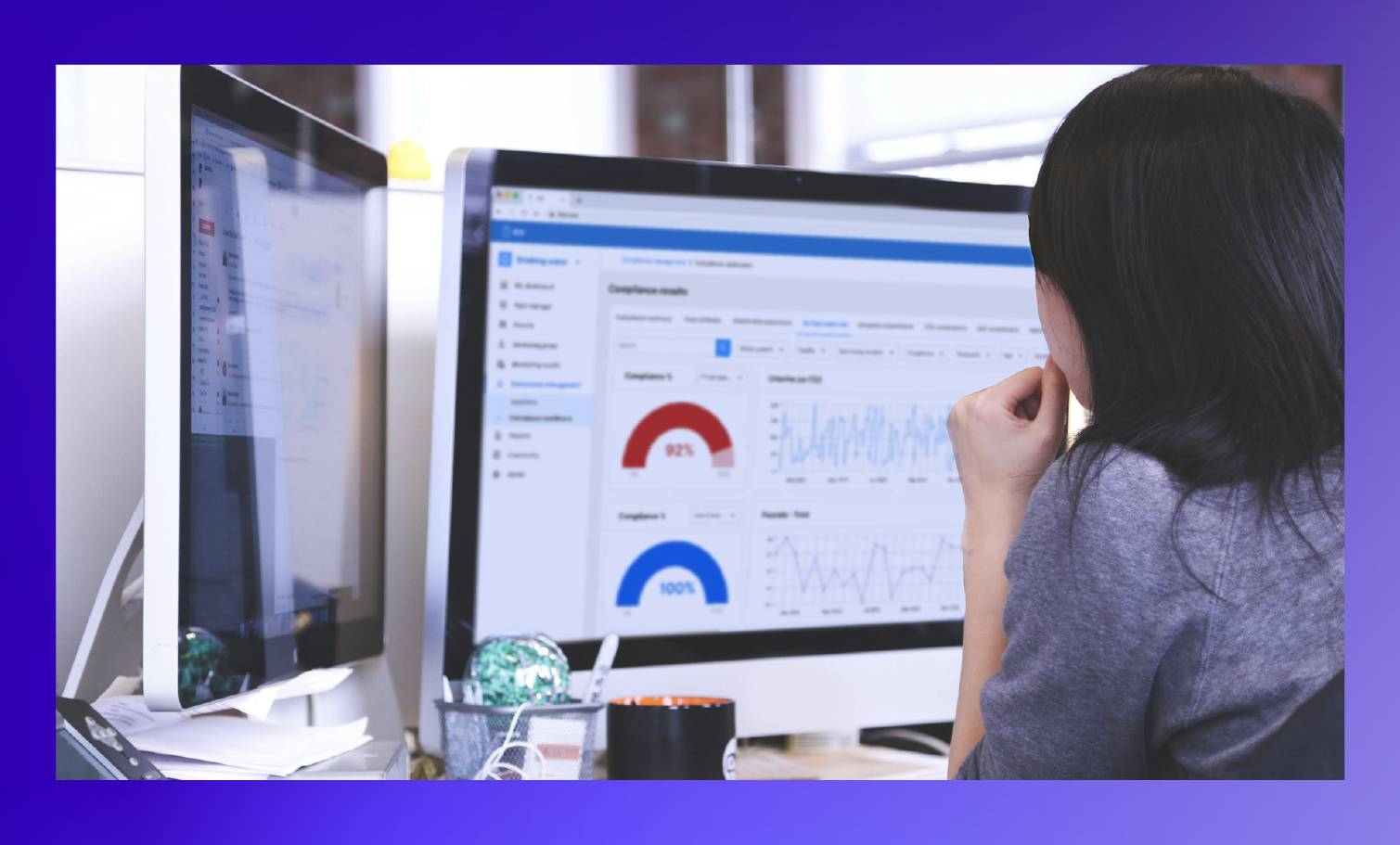
The 24-Hour Data Migration: Redefining Implementation for Water Utilities
For water utilities, implementation is the point where decisions turn into reality.
It’s where data is migrated, workflows are configured, and teams begin operating in a new system. Until that happens, nothing changes day-to-day.
This is also where projects tend to lose momentum.
The challenge lies in the amount of work required to get there. Years of data, spread across systems that were never designed to work together, need to be brought into one place and made usable. That work has historically been slow, manual, and dependent on already stretched teams.
At Klir, this is the part of the process we’ve rebuilt.
In a recent webinar hosted by COO Elaine Kelly, featuring Data Consultant Daniyal Tahir, we focused on this exact moment - what actually happens during implementation, why it takes time, and what’s changed.
The Reality: Data Is the Constraint
Every implementation starts with the same challenge.
Data exists across legacy systems, Excel files, PDFs, lab systems, and internal trackers. It’s fragmented, inconsistent, and often duplicated. The same parameter can appear under different names. Units vary. There’s no single, clearly defined source of truth.
Before that data can be used, it has to be structured. Standardized. Validated.
That work is detailed and time-intensive. It also competes with the operational responsibilities of the people responsible for it. That’s what extends timelines.
Klir Takes Ownership of the Work That Slows Implementation Down
This is where Klir is fundamentally different.
Implementation does not rely on the utility to prepare, clean, or restructure data before the process begins. That responsibility sits with Klir.
- Data is accepted as-is, regardless of format or source
- Standardization and normalization are handled by Klir’s data team and systems
- Parameters, units, and structures are mapped into a consistent framework
- The system identifies matches and flags lower-confidence items for review
- Utility teams validate only what requires input — not entire datasets
- Klir will even come on-site to get your data
Once validated, data is uploaded into Klir in a structured format and aligned to how the utility actually operates.
This completely removes the need for utilities to run a separate data preparation project alongside implementation.
A Structured Process That Enables 24-Hour Migration
“24-hour migration” refers to the point where validated data is moved into Klir - a step that can be completed within hours once preparation is complete.
Implementation is run as a structured process with clear ownership.
Each engagement includes a dedicated team across implementation, project management, data, and onboarding. Timelines and milestones are defined from the outset, with clear roles on both sides. Progress is managed through regular checkpoints.
Utilities work directly with subject matter experts throughout, ensuring the system reflects real operational workflows.
Klir Has Rebuilt Implementation Around How Utilities Actually Operate
The complexity of water utility data hasn’t changed. What’s changed is how that complexity is handled.
At Klir, implementation is designed to remove unnecessary burden, define the work clearly, and move data into a usable state as quickly as possible. The result is a process that is faster, more predictable, and aligned with how utilities actually run.
That’s what allows implementation to move and projects to move with it.
Watch the Webinar
If implementation timelines or migration complexity are part of your evaluation, the full session walks through this in detail.
The 24-Hour Data Migration: What Modern Utility Implementation Looks Like

Maximizing ROI: The Case for Cloud Over On-Prem
Feel like your on-premise systems are constantly springing leaks while you’re trying to stay afloat? It might be time to trade in the buckets for a boat that actually works. Water utilities are navigating choppy waters with outdated, expensive hardware that’s more hassle than it’s worth. But there’s a better way: cloud technology.
The benefits of the cloud were highlighted in Klir’s recent webinar Navigating AI and Data Security: Essential Insights for IT Professionals in the Water Industry. Cloud-based solutions offer water utilities a streamlined, cost-effective, and secure way to stay ahead. If you’re still tethered to on-premise systems, it’s time to ask: Is it really helping you sail smoothly, or are you just bailing out water?
So, why is cloud-based tech making such waves in the industry? Let’s dive in.
Cloud to the Rescue
On-premise systems were once the backbone of IT infrastructure, but they’re now more of a drain than a solution. These setups require significant investment in hardware, ongoing maintenance, and manual updates, all while often lacking the advanced security measures needed today. For water utilities managing critical infrastructure, the continuous upgrades and upkeep make on-prem systems an obstacle to efficiency and security.
By contrast, cloud-based solutions offer clear financial and operational advantages. Migrating to the cloud enables significant cost savings, with large organizations typically saving 15% on IT costs and smaller ones saving up to 36%. Cloud solutions eliminate the need for costly hardware and constant upgrades while providing robust security features that meet or exceed traditional on-premise standards. For utilities focused on digital transformation, the cloud reduces maintenance demands and delivers enhanced security—without the hefty overhead.
Better Security, Less Stress
Security remains a top priority, and one of the cloud’s biggest advantages is its built-in, military-grade protection. With end-to-end encryption, automatic updates, and continual monitoring, cloud-based solutions keep data secure against evolving threats. In fact, cloud-based disaster recovery reduce downtime by 50%, ensuring stronger business continuity in case of unexpected events.
This added security is particularly crucial as 70% of water utilities inspected by federal officials last year violated standards meant to prevent breaches or other intrusions, according to the EPA. Many on-premise systems rely on older security protocols, leaving organizations vulnerable to cyber threats. Cloud technology, by contrast, is designed for modern security needs, enabling utilities to protect sensitive data with less manual effort and greater peace of mind.
Flexibility and Fast Deployment: Why the Cloud Wins
Another game-changer? Flexibility. With cloud-based solutions, your data is accessible anywhere, anytime, enabling faster response times and more agile operations. For utilities managing critical infrastructure, this capability to quickly access and act on data translates into more efficient workflows and decision-making.
Deployment speed is also a major plus. Cloud systems can be implemented far more quickly than traditional on-premise solutions, allowing utilities to start benefiting from these solutions almost immediately. For organizations looking to improve efficiency, cloud technology offers an invaluable advantage in both deployment and ongoing flexibility.
Future-Proofing Your Utility with Cloud Technology
Future-proofing is essential in the rapidly evolving tech landscape, and cloud solutions are critical for utilities looking to keep up. With 91% of IT leaders identifying digital transformation as a top or significant priority, cloud technology provides the flexibility and scalability needed to stay current. As digital transformation accelerates, cloud solutions enable seamless integration with new tools and applications, allowing utilities to adapt without the hassle of frequent, costly upgrades. In an increasingly digital environment, cloud-equipped utilities can focus on achieving long-term goals rather than getting bogged down by short-term fixes.
Ready to Maximize Your ROI with Cloud Technology?
Switching to the cloud is more than just a smart financial decision—it’s the key to building a more secure, efficient, and future-ready utility. Klir’s cloud-based solutions offer military-grade security, seamless integration, and the flexibility to help your utility thrive.
Don’t just take our word for it. Curious about how cloud technology is transforming the water industry? Check out our recent webinar, Navigating AI and Data Security: Essential Insights for IT Professionals in the Water Industry, to hear firsthand insights from industry leaders on why making the switch to cloud is a game-changer for water utilities.
Book a demo today to see how Klir can help you maximize ROI, streamline operations, and future-proof your infrastructure.

Fresh Ideas, Frank Conversation and New Water Tech Sizzle at Klir’s Boiling Point Summit
“I’ve spent my entire career building technology in water: in many ways it has all led to today.”
That’s how Klir CEO David Lynch summed up Monday’s Boiling Point summit, which brought luminaries from the world of water to Toronto for an evening of eye-opening conversations, crucial network-building, and a glimpse into the future of effective water management
Held alongside the world’s premier water conference, ACE23, the event began with an introduction from the EPA’s longest-serving administrator Carol Browner, who moderated a provocative panel discussion on technology and the challenges of 21st century water stewardship.
“Based on my experience, change and disruption are important, but they’re not the same thing. Water is a highly complex system, so we have to think very carefully about change,” Browner told attendees, encouraging them to think about the many ways technology and responsible water management intersect.
Joining Browner and Lynch on stage were Joone Kim-Lopez, GeneralManager and CEO of the Moulton Niguel Water District, Erica Gies, an award-winning journalist who covers the water system, and Klir’s own Tom Stafford, who took to the stage to announce a slew of updates to the Klir platform.
Reconnecting Customers With Water and Returning to ‘Science-Based’ Policy is a Must Says Longest-Serving EPA Head
Browner, who successfully led the world’s most powerful environmental regulator through one of its most challenging periods between 1993 and 2001, spoke candidly about what she thought were the biggest opportunities facing water policymakers today.
“I think it is probably fair to say they are not fact-based or science-based, and my hope is that the states will rise up and adopt their own protection regimes,” said Browner, alluding to the US Supreme Court’s highly-controversial decision to slash decades-old federal protections for wetlands.
Browner said protections for wetlands are crucial not just from a hydrological standpoint, but also because they can help build stronger connections between people, the environment, and the water they consume: a crucial step towards solving the water crisis.
“The more we can reconnect people to waterways, the more we can make them understand: where does that water you drink come from? Where’s it going? The better, I think.”

Journalist Erica Gies, author of the groundbreaking survey of nature-based water interventions Water Always Wins, echoed that sentiment and emphasized the need for a cultural reset around our relationship with water.
“We tend to think of water as either a commodity or a threat. But not everybody in the world thinks about it that way. Some people think about it as a friend or relative, which can sound a little strange.”
Innovation is ‘Critical’ to Attracting Next Generation of Water Experts Says Head of Moulton Niguel Water District
“I just want to realistically set this conversation. You’ve got visionaries; you’ve got people with amazing experience. But from a practitioner level at the utility, the world is very different.”
That’s how Joone Kim-Lopez, who serves more than 170,000 customers at California’s Moulton Niguel Water District, framed the water challenge from the perspective of large US water systems, which continue to struggle with outdated infrastructure, an aging workforce, and a rapidly-changing climate.
Lopez also leads the California Data Collective, a nonprofit representing 21 million Californians focused on leveraging technology to bring much-needed modernization to the state’s water system.
“We have over 7,000 water providers in California. Most of them actually don’t even have SCADA. 600 systems are on the brink of failure or move in and out of failing. Nearly 1 million Californians do not have access to safe drinking water.”
While those are sobering numbers, Lopez said that sophisticated technological interventions like AI could be a game-changer not just from an engineering standpoint but also by helping attract the next generation of talent to the water sector.
“If we don’t modernize, we’re not going to get the best people,” said Lopez. “I wish I could pay my people what some of these other private companies are paying; I wish I could compete with that market.”
Klir Debuts Groundbreaking New Compliance Tools and AI-Driven Assistant
Tom Stafford, Chief Product Officer of Klir and former senior manager at the EPA in Ireland, drove home the importance of empowering workers and drawing on the experience of utility operators with a presentation on how water-related media fiascos in Ireland and the UK regularly push systems into reactive modes of thinking.
“It’s probably twice as expensive to be reactive as it is to be proactive,” said Stafford, referencing the consultants utilities were forced to hire after protests in Ireland against combined storm overflows and water rate changes—some of the largest in the country’s history.
Stafford took the stage to announce Klir Comply, a groundbreaking new platform from Klir that will help water workers at all levels of the utility access the compliance information they need, tackle challenges more proactively, and avoid expensive consultant fees.
“Whether you’re a CEO or a plant operator, Klir Comply is all about managing your data, putting it together and easily generating the information you need.”
Klir CEO David Lynch echoed the need for crystal-clear compliance management while announcing another exciting new feature: an AI-driven assistant named ‘Boots’ that will help Klir users search for data quickly, draft emails, generate reports, and save hours on administrative busy work.

“I’m excited to finally share the biggest enhancement to Klir to date. This new generative AI tool, which uses the power of ChatGPT, our own proprietary LLMs, as well as the Microsoft AI stack, to help humans to do what they do best: exercising their best judgment.”
Lynch emphasized the need to create a ‘safe space’ for innovation and said Klir’s new tools delivered just that. World-class cybersecurity combined with powerful new integrations with the Microsoft product stack would ensure that Klir users would see continuing and compounding improvements in the months ahead.
“Without our passionate customers, those users, advocates and even those detractors, we wouldn’t have the opportunity to be better every single day.”
Should it be "I just want to sort of realistically set this conversation" or "I want to realistically set this conversation."

5 Game-Changing Ways AI is Transforming Water Management
In water management, every decision and every minute counts. Imagine a resource that propels you forward—enabling you to anticipate needs, streamline complex tasks, and gain insights instantly. That’s the power of AI: it transforms how you work. With Klir’s AI assistant, Boots, you’re equipped to make rapid, data-driven decisions, freeing your team to focus on what matters most.
But AI isn’t just about efficiency; it’s about resilience in a world where water security is under increasing pressure. Although the amount of water on Earth has stayed constant for millions of years, our access to secure, clean water has never faced greater challenges. By 2025, demand for water will exceed supply, and by 2030, that gap is expected to widen to 40%. To meet these demands, utilities are relying on innovative tools like AI to help manage resources with precision and agility, freeing up valuable time and focus to tackle the bigger picture—protecting and sustaining our water resources for future generations.
AI is becoming a key part of the workplace for the majority of professionals—three in four people now use some form of AI at work. When AI isn’t provided by an organization, employees often bring their own tools, potentially increasing the risk of data leaks. As the saying goes, “Don’t ban it—secure it.” By providing a robust AI platform like Boots, you’re empowering your team to work smarter with built-in security, ensuring that every insight stays protected.
Here are five ways AI, with Boots by your side, can save your team time, increase efficiency, and empower you to tackle water management challenges head-on:
1. Automated Data Analysis for Faster Decisions
Klir’s AI Assistant, Boots quickly analyzes complex data sets, flagging critical information and spotting trends that might otherwise go unnoticed. This capability saves hours that would be spent manually combing through data, enabling your team to make faster, data-informed decisions without extensive prep time. In fact, a recent study shows that using AI-driven data analysis can reduce time spent on data tasks by up to 20%, freeing up hours for more high-impact work.
Example: Need to know if compliance issues are increasing in a specific location? Just ask Boots to pull the latest trends, and within seconds, you’ll have a clear picture of where attention is needed.
2. Real-Time Reporting
Boots enables you to generate summaries instantly, formatted precisely for your needs—saving hours that would otherwise be spent on manual compilation. Whether it’s a recent data trend or an overview of non-compliant samples, Boots delivers accurate, ready-to-share insights with a single click.
Example: Instead of creating a custom report on sample results, you can ask Boots for a compliance summary for the past month and instantly share the findings with your team
3. Actionable Next Steps for Smarter Decision-Making
When Boots flags an issue, it doesn’t just stop there. It offers timely, actionable next steps—like scheduling an inspection. This helps your team make quicker, well-informed decisions without spending extra time planning or second-guessing the next move. This guidance streamlines decision-making, allowing your team to act swiftly and confidently. Research indicates that AI-driven suggestions can enhance decision-making speed by up to 20%.
Example: If a certain parameter’s compliance is flagged as high-risk, Boots might suggest scheduling an inspection or other immediate actions to mitigate the risk.
4. Instant Answers for On-Demand Information
No more sifting through endless files or waiting on custom reports—Boots gives you instant access to the information you need, drawn directly from Klir’s centralized platform. Whether you’re responding to a stakeholder request, preparing for a presentation, or addressing a public inquiry, Boots provides answers in seconds, saving valuable time and ensuring accuracy. It’s like having a trusted resource on hand to quickly retrieve compliance data, sampling results, or site-specific metrics.
Example: Need to quickly retrieve non-compliance data for a particular location? Just ask Boots, and you’ll have the info at your fingertips, ready to share with the team or leadership.
5. Automated Administrative Tasks to Free Up Time
Boots takes on routine tasks like drafting emails, freeing your team to focus on strategic priorities that drive progress. By automating these administrative duties, Boots saves time, improves accuracy, and maintains consistency across communications. In fact, the World Economic Forum reports that AI can automate up to 30% of tasks—giving your team back valuable hours for what matters most.
Example: Instead of drafting an email with compliance updates manually, Boots can create a tailored message based on recent data, ready for you to review and send.
The Future of AI in Water Management: Beyond Klir
When thinking about AI beyond the capabilities of Klir, AI technologies like digital twins are also making waves in water management. By creating virtual replicas of physical water systems, digital twins provide utilities with a predictive, real-time look into asset performance and resource needs. These models simulate various scenarios—like droughts, pipe failures, or pollution spikes—allowing water utilities to test responses and optimize operations before taking action in the real world.
In the near future, AI-enabled digital twins and advanced predictive analytics will help utilities not just react, but proactively manage resources, keeping water systems resilient and adaptable in an era of growing challenges.
Want to Learn More?
Curious to learn more about how AI is reshaping water management? Explore Klir’s blog, Better, Faster, Safer: How New AI Tools Could Transform Water Management for the Better, where we dive into how AI—including tools like ChatGPT—enables utilities to tackle the biggest challenges of the 21st century, from demand management to environmental compliance.
Klir vs. WaterTrax: Picking a Water Management Tool
Municipalities and utilities have turned to electronic reporting tools (ERTs) to streamline, consolidate and automate their water and wastewater data processes for decades.
These tools cut down on lost or duplicate data, provide users with automated alerts, and generally make sampling a much less painful and time-consuming process.
At the same time, water managers know that sampling is just one part of the equation.
No part of a successful water management operation can function in isolation from another—but that’s also precisely what happens when utilities need a different application to manage each aspect of the water process, whether it be water quality or effluent monitoring, permitting, or inspections.
Adopting a truly unified approach to water management might be the only way that municipalities and utilities can protect themselves from another problem: too many tools.
To illustrate how, we’re going to compare two different water sampling solutions today:
Klir
An all-in-one cloud-based water management platform—and more specifically Klir’s sampling capabilities, which delivering fast and up to date sampling and water quality results to decision makers at water and wastewater utilities.
WaterTrax
An electronic reporting tool provided by Aquatic Informatics.
Klir Water Management Software: A Quick Intro
Until recently, the information that operators and managers at water utilities needed to do their jobs was fragmented, dispersed across numerous systems, incomplete, or otherwise difficult to access.
Launched in 2018, Klir is the first system to bring these disparate functions together into one complete SaaS based software suite.
Klir's Drinking Water Management platform allows water quality teams to manage monitoring plans and sampling outcomes against relevant legislation and regulations such as the Safe Drinking Water Act (SDWA). Meanwhile, Klir's Wastewater Management Platform allows treatment plant operators to manage effluent reporting and DMR reports, so they can stay compliant with key regulation such as NPDES (National Pollutant Discharge Elimination System).
Instead of relying on a mishmash of different systems and software, Klir brings the entire team onto one platform and pulls in data from lab reports, LIMS, SCADA & GIS to create a single source of truth for sampling activities utility-wide.
This allows operators to
- See trends across the entire water system—from sampling, to permitting, inspections & more—and make decisions with clarity and confidence.
- Automate manual tasks and data analysis that were once tracked in Excel or Outlook, from scheduling sampling runs, to interpreting sampling results, to generating regulatory reports, eliminating 1+ days of admin work each week.
- Have peace of mind knowing that Klir’s automatic alerts for MCLs, operational limits, and numerous other types of limits will trigger in case anything ever goes wrong, and feel confident that every sample has been completed on time.
WaterTrax: A Brief Overview
WaterTrax was first launched in 2002 with the goal of helping utilities and municipalities detect adverse water quality events earlier and faster, offering quick access to current and historical data, automatic alerts, and a consolidated repository for lab data, all in a web-based system that didn’t require and special hardware or software to run.
Today WaterTrax’s focus is water and wastewater management, and the typical user will use the tool to do three things: set up a sampling schedule, set up their water infrastructure, and begin consuming data from labs and field samples.
In 2017, WaterTrax was acquired by Vancouver’s Aquatic Informatics company, where it exists alongside a family of applications purpose-built for different aspects of the water management process, including:
- Aquarius Samples, an environmental lab and field sample data production tool.
- Linko, an Industrial Pretreatment and FOG solution.
- Tokay, a backflow prevention and cross-connection control tool.
One Platform vs. a Family of Separate Apps
While WaterTrax and the Klir sampling module might have a lot of overlap, the biggest difference between the two is Klir’s unified platform approach to water, as opposed to Aquatic Informatics’ à la carte approach.
While Klir users can move seamlessly from managing water and wastewater processes to other key processes such as permitting, inspections, asset management, and backflow or cross-connections, WaterTrax users are forced to switch to a different Aquatic Informatics application every time.
The Klir system unifies sampling and water monitoring alongside permitting, inspections, asset management, and backflow or cross-connections. This allows utilities to:
Break Down Silos
Reducing contradictory data, enabling constant information sharing across departments and teams, and reducing knowledge-loss during employee retirements or absences.
Spend Less time on Implementation
Klir allows utilities to train multiple teams on a single system and manage multiple process in one central software system.
Work With a Single Source of Truth
As your organization grows and its data needs increase, your ability to create and work from a single point of truth will become increasingly important.
The Klir Water Management Platform in Action
In addition to the benefits of Klir’s platform approach, there are also specific areas where Klir allows utilities to manage sampling and water quality outcomes with ease:

1. Powerful Monitoring Plans and Sample Scheduling
Klir unifies monitoring plans and sample scheduling across the utility, and making those functions available across working groups (whether it be compliance, water quality, operations, or treatment facilities).
Klir is a SaaS-based program that can be securely accessed on any device, anywhere, and is designed with an intuitive user interface so that any delegated user in your organization can set up their monitoring plan, select what they want to monitor against, track sampling outcomes against relevant parameters, and provision their plan with a set of recurring tasks.
2. Better Lab Data Processing
Klir currently provides users with numerous ways of entering data into the system, including:
- Manual frontend data entry
- Frontend data import through the import tool
- SCADA import
- SFTP file transfers
- Sample results APIs (future)
Klir is also developing a sampling API that will expand even further on users’ ability to get data into the Klir system easily.
3. Powerful Customization and Automation Functions
With automatic alerts and notifications triggered by sampling processes, Klir allows operators to create custom rules for almost any process or parameter in their water data management system, making it a powerful automation tool.


Klir vs. WaterTrax: Feature-by-Feature
4. It’s Built for Maximum Accessibility
Unlike most legacy water systems, Klir focuses on providing a user-friendly, intuitive and accessible experience that is designed to be used by anyone within the utility, regardless of experience. Klir makes your systems more transparent, not less, making it the clear choice for readability and ease of use out of the box.
5. One Product, One Vision
Klir is unique among competing water management platforms which because it was built as a unified water management solution from the ground up.
This means Klir allows users to avoid the pitfalls commonly associated with legacy software suites—including duplicate data, overlapping processes, multiple licenses, uneven product development, and lack of cross-app integration—while ensuring that your team can be trained and brought onto a single, unified system.
6. Collaboration and Task Management Tools
Klir allows teams to manage all of their tasks in-app, offering an internal chat and reply functionality, user tagging, and commenting, turning the platform into a single channel for collaboration and project management across the organization.
Meanwhile, legacy water management systems often don’t include internal collaboration or communications tools, forcing teams to come up with their own off-platform solutions (usually email).
Klir vs. SwiftComply: Choosing an Effective Compliance Tracking Tool
Whether it’s cross connection control, industrial pretreatment, or sampling, tracking regulatory compliance across the different programs and departments at a water and wastewater utility can be a massive undertaking.
Operators need access to a variety of data points to budget, plan for, and manage these challenges effectively, and many have turned to dedicated compliance tracking software to fill the gap.
While these tools are a step up from spreadsheets and post-it notes of the past, they aren’t perfect. Operators looking for a single tool to manage all aspects of compliance might find some of them outdated or limited in functionality.
Today we’re going to explore these tradeoffs by comparing two separate compliance tracking solutions:
Klir
An all-in-one cloud-based operating system for drinking water & wastewater utilities—and more. Klir’s inspection tools help utilities run more effective backflow, FOG and industrial pretreatment programs while cutting down on administration and record-keeping work.
SwiftComply
A compliance management tool offering backflow prevention, FOG management, and industrial pretreatment solutions.
Klir: A Quick Intro
Launched in 2018, Klir is an all-in-one operating system for drinking water & wastewater that brings your entire team onto one platform, pulling in data from lab reports, LIMS, SCADA & GIS to create a single source of truth for compliance utility-wide. This allows operators to:
Work With Trends
See trends across the entire water system—from sampling, to permitting, inspections & more—and make decisions with clarity and confidence.
Use Automation
Automate manual tasks and data analysis that were once tracked in Excel or Outlook, from scheduling sampling runs, to interpreting sampling results, and generating regulatory reports, eliminating 1+ days of admin work each week.
Receive Alerts
Have peace of mind knowing that Klir’s automatic alerts for MCLs and non-compliance will trigger in case anything ever goes wrong, and feel confident that every sample has been completed on time.
SwiftComply: A Quick Intro
Launched in 2016, SwiftComply began as a tool to help utilities manage FOG programs. In 2019, the company acquired XC2, a specialized backflow program management software vendor, which it began to replace with a newer updated tool called SwiftComply Backflow.
Today SwiftComply offers modules for FOG, backflow, and industrial pretreatment, stormwater, and customer management, building on its strengths in FOG and pretreatment and offering users powerful features like real-time compliance data monitoring.
Klir vs. SwiftComply: Which One Is Right for You?
SwiftComply and Klir have a lot of overlap, but there are four big differences between them that are worth keeping in mind when considering whether they’re the right fit for your operation: scope, collaboration, pricing, and data ownership.
1. One Tool For Everything
SwiftComply might work well if you already use it to manage your cross connection control data, and it might also work if you’re a solo operator looking for a tool dedicated to managing your backflow program alone.
But if you’re looking for a truly all-encompassing tool that plugs into the rest of your operation—including sampling, customer management, resource recovery and more—you might consider using a tool like Klir instead.
Klir’s commitment to building one unified platform for water utility management means it avoids the pitfalls commonly associated with legacy software suites—including duplicate data, overlapping processes, multiple licenses, uneven product development, and lack of cross-app integration—while ensuring that your team can be trained and brought onto a single, unified system.
2. Pricing Tailored For Growth
Another major difference between SwiftComply and Klir is pricing: the former follows a usage-based pricing model, whereas Klir offers personalized pricing based on a utility’s needs.
To most operators new to water data management software, a tool like SwiftComply can seem as good as “free.” There are no flat licensing costs, and if a utility does not upload any data to Swiftcomply, they don’t pay anything.
But while the financial barrier to entry might be low, usage based pricing can also work against you, discouraging use of the tool in general.
Going with a predictable, tailored fee like Klir’s means that you can keep a rapidly growing population’s drinking water safe without the surprise of a massive bill.
Klir focuses on enabling the utility to grow with its city, rather than penalizing it. If you’re keen on software that is as easy to use as it is to budget for, consider Klir.
3. Collaboration
SwiftComply provides users real-time data to monitor compliance. But like other legacy systems, it doesn’t include internal collaboration or communications tools, forcing teams to come up with their own off-platform solutions (usually email).
If you’re looking for a tool that does more than just monitoring, especially project management and other automation-enabled collaboration tasks, you should consider Klir instead.
Klir merges multiple data sources and processes into a single collaborative platform and paves the way for a more proactive, collaborative, and resilient water management program. Directors can independently access every aspect of the water management data—including compliance and sampling–with an easy-to-use executive dash dashboard, freeing-up the time of their subordinates and empowering them to get the data they need in an instant.
Klir allows teams to manage all of their tasks within the app, offering an internal chat and reply functionality, user tagging, and commenting, turning the platform into a single channel for collaboration and project management across the organization.
4. Privacy and Data Ownership
As utilities move more of their data from physical logbooks, spreadsheets and calendars into the digital sphere, who exactly has access to—or even outright owns—that data can become murkier.
One big concern for utilities who work with private inspectors and contractors on functions like backflow is ownership over inspection data. With SwiftComply, third-party inspectors own the data that they enter into the system. With Klir, the utility has full ownership of inspector data.
Conclusion
Despite SwiftComply’s strengths in cross connection and FOG program management, Klir’s all-encompassing, user-friendly approach to data management makes it the clear winner for utilities looking to manage all of their programs out of one system.
- Klir’s focus on creating a single source of truth for all of your utility’s programs—from sampling and compliance to industrial pretreatment—provides program managers with the data and confidence they need to make important operational decisions.
- Klir’s straightforward pricing structure makes it easier to budget and doesn’t penalize users for increased usage.
- Klir’s focus on project management and in-app communication also makes it the clear choice for utilities and programs looking for a single tool to encompass all aspects of program management.
Operations And Compliance Management For Everyone
Looking for a simple, straightforward compliance tracking tool that you can use straight out of the box? Learn more about how Klir can cut down on administration and recordkeeping work, create new opportunities for collaboration, and provide a level of system-wide visibility unmatched by other water data management systems.

Klir vs. SAMS by NJBSoft: Picking An Operations and Compliance Management Suite That Works For You
For utilities managing multiple programs like drinking and wastewater, cross connection control, and industrial pretreatment, bringing operational and compliance data from across the organization into one environment can be a big undertaking.
Over the years, numerous engineering, IT consulting, and software companies have developed tools to help utilities manage this process. But while they might be a step up from paper and spreadsheet-based data management, not all operational and compliance management software is created equal.
Today we’re going to explore some of these differences by comparing two platforms:
Klir
An all-in-one cloud-based operating system for water & wastewater utilities. Klir pulls compliance, sampling, reporting and more into an easy to use dashboard, cutting down on administration and record-keeping work while providing a level of organization-wide visibility unmatched by other systems.
SAMS
An operations and compliance management suite from NJBSoft built for managing water, wastewater, industrial pretreatment, backflow, stormwater, air quality and asset management programs.
Klir: A Quick Intro
Until recently, the information that operators and managers at water utilities needed to do their jobs was fragmented, dispersed across numerous systems, incomplete, or otherwise difficult to access.
Launched in 2018, Klir is the first system to bring these disparate functions together into one complete, all-in-one operating system (OS) for water & wastewater utilities.

Instead of relying on a mishmash of different systems and software, Klir brings the entire team onto one platform and pulls in data from lab reports, LIMS, SCADA & GIS to create a single source of truth for sampling activities utility-wide.
This allows operators to:
Work With Trends
See trends across the entire water system—from sampling, to permitting, inspections & more—and make decisions with clarity and confidence.
Use Automation
Automate manual tasks and data analysis that were once tracked in Excel or Outlook, from scheduling sampling runs, to interpreting sampling results, and generating regulatory reports, eliminating 1+ days of admin work each week.
Receive Alerts
Have peace of mind knowing that Klir’s automatic alerts for MCLs and non-compliance will trigger in case anything ever goes wrong, and feel confident that every sample has been completed on time.
SAMS: A Quick Intro
Launched in 2009, NJBSoft’s Sampling and Monitoring System (SAMS) began as an integrated operations and compliance solution for the Civil, Environmental and Municipal Engineering sector.
Today, the company offers seven separate ‘SAMS’ covering different aspects of water utility data management, including:
- Compliance and permit management for drinking and wastewater utilities (SAMS Water and SAMS Wastewater)
- Suites for managing industrial pretreatment (SAMS IPP), cross connection control (SAMS Cross Connection) and stormwater (SAMS Stormwater) programs
- A tool for managing Clean Air Act and other air quality compliance (SAMS Air Quality)
- A new asset management module (SAMS Asset Management)
Klir vs. SAMS: Which One Is Right for You?
While SAMS and Klir might have a lot of overlap, there are three major differences that set the two platforms apart: degree of customizability vs. configurability, how each platform handles data visualization, and collaboration tools. Here’s what each of them means for your utility:
1. Customizability vs. Configurability
Generally speaking, users get the most out of NJBSoft’s SAMS by customizing and changing the tool to fit their specific situation.
Organizations that have substantial IT and computer engineering resources have the ability to make code-level changes to SAMS, which can result in a tool that is closely tailored to a specific utility or department’s data management needs and situation.
Klir’s “click not code” approach to configurability, on the other hand, means that any user can automate processes and manage tasks without the steep learning curve.
While customizable software might offer users a more tailored approach, it’s also more expensive, both from a financial and human resources perspective.
When budgets get tight, the last thing your department needs is to sink thousands of dollars into hiring engineers to customize software you’ve already paid for. Meanwhile, configurable software is cheaper to adapt to your specific needs, and cheaper to maintain.
2. Data Visualization
We can make a similar comparison between the two platforms when it comes to another important function: pulling and synthesizing large amounts of operational and compliance data into easy-to-understand dashboards and reports.
While both platforms offer data visualization, the SAMS platform requires complex, time-consuming queries to pull operational data into dashboards.
Klir’s single-click reporting and dashboard capabilities, on the other hand, are focused on saving time and being as user-friendly as possible. There’s no need for an experienced ‘power user’ to immediately start getting value out of Klir. Powerful out-of-the-box dashboards make data more digestible for everyone, whether you’re a seasoned Klir user or using the platform for the first time.
Pulling data into reports is a similarly painless process. With a single click, operators can generate compliance reports that are instantly ready for submission to state and local regulators.
Overall, Klir’s fully configurable platform offers a simple yet comprehensive solution for all users to set up their dashboards, notifications, and forms, making it easy to visualize important information such as inspection outcomes, compliance status, and sampling results at a glance.
3. Collaboration
SAMS internal collaboration and communications tools are limited, forcing teams to handle most project management work outside of the app. If you’re looking for a tool that prioritizes project management functionality and other automation-enabled collaboration tasks, you should consider Klir instead.
Klir provides a single collaborative platform that paves the way for more proactive, collaborative programs, offering an internal chat and reply functionality, user tagging, and commenting, turning the platform into a single channel for collaboration and project management across the organization.
Conclusion
While SAMS’ operations and compliance management tools might meet the needs of power users with substantial IT and engineering resources, Klir’s out-of-the-box, user-friendly approach makes it the clear favorite for the average program manager.
- Klir’s focus on configurability cuts down on the substantial time and effort users must invest in customizable platforms like SAMS.
- Klir’s intuitive, user-friendly interface and query-free dashboard interface makes it the more powerful tool out-of-the-box. Users with little to no experience using the platform can immediately start creating data visualizations and generating reports for regulators.
- Klir’s focus on project management and in-app communication also makes it the clear choice for utilities and programs looking for a single tool to encompass all aspects of program management.
- Klir is committed to providing your utility with continued personalized support throughout your entire journey, including a dedicated Klir Customer Success Manager and a comprehensive change management plan to make the transition as seamless as possible.
Operations And Compliance Management For Everyone
Interested in learning how to get configurable dashboards without a computer science degree? Learn more about how Klir can cut down on administration and recordkeeping work, create new opportunities for collaboration, and provide a level of system-wide visibility unmatched by other water data management systems.

Klir vs. Hach WIMS: Choosing a Water Data Management Platform That Makes Sense for You
Whether it’s pathogens, PFAS, flood, drought, or a host of other factors, successful water management comes with a gauntlet of complex and interlinking challenges—and that list is only growing.
To tackle these issues, water and wastewater managers, operators and engineers need a steady stream of easy to access and up to date information related to planning, compliance, risk, sampling results, and numerous other data points. Enterprise and custom-built industrial automations systems have promised to provide exactly that, but haven’t always delivered.
Most operators today continue to work in water data management environments that are incomplete: crucial data remains siloed and underutilized, plant operators continue to struggle with sub-optimal conditions for planning, and adopting a data-based approach to water management continues to be a challenge.
To explore the tradeoffs and sticking points operators face when approaching these challenges, we’re going to look at two different systems today:
Klir
An all-in-one cloud-based operating system for water & wastewater utilities—and more. Klir’s sampling module focuses on delivering fast and up to date water quality results and analysis, and simplifying scheduling and reporting for water monitoring plans across the utility.
Hach WIMS
A water information management solution developed by the Hach Company to complement the company’s water quality testing instruments and processes.
Klir OS and the Klir Sampling Module: A Quick Intro
Until recently, the information that operators and managers at water utilities needed to do their jobs was fragmented, dispersed across numerous systems, incomplete, or otherwise difficult to access.
Launched in 2018, Klir is the first system to bring these disparate functions together into one complete, all-in-one operating system (OS) for water & wastewater utilities.

Instead of relying on a mishmash of different systems and software, Klir brings the entire team onto one platform and pulls in data from lab reports, LIMS, SCADA & GIS to create a single source of truth for sampling activities utility-wide.
This allows operators to:
Work With Trends
See trends across the entire water system—from sampling, to permitting, inspections & more—and make decisions with clarity and confidence.
Use Automation
Automate manual tasks and data analysis that were once tracked in Excel or Outlook, from scheduling sampling runs, to interpreting sampling results, and generating regulatory reports, eliminating 1+ days of admin work each week.
Receive Alerts
Have peace of mind knowing that Klir’s automatic alerts for MCLs and non-compliance will trigger in case anything ever goes wrong, and feel confident that every sample has been completed on time.
Hach WIMS: A Quick Intro
Hach WIMS allows operators and managers to synthesize and analyze together water quality data using queries, charts and custom analytics. Think of it as a powerful version of Excel, custom-built for water.
Although Hach WIMS has been a mainstay in the water industry, it hasn’t received any major overhauls since it was originally introduced, making it very much a product of its time. While it’s helpful for users focused on managing sampling results & interpreting water quality data, it lacks some of the broader functionalities users have come to expect from newer cloud-based software.
Klir vs. Hach: Which One is Right for You?
There are a few key factors that operators need to keep in mind when choosing a system that is right for them. We’ll break them down for you below and sort them into two sections: one for operators that would be better off choosing Klir, and one for operators who might benefit from sticking to Hach.
Klir is an all-in-one system that captures all data for compliance with regulatory and local limits, and is built to handle:
- Monitoring plan creation & management
- Sample scheduling
- SCADA & LIMS import / review
- Rule validation
- Exceedance warnings
- Reporting
- Task management
- Live data entry for field sampling
Hach WIMS, on the other hand, is meant to support engineers during their daily operations and is built to handle:
- Sampling scheduling
- SCADA & LIMS import / review
- Reporting
- Equipment maintenance support
- Plant operational workflows
Reasons to choose Klir
1. It’s a Truly Comprehensive System
It used to be that if you wanted a truly comprehensive, all-encompassing view of your organization, you had to wait for an annual report. Klir has changed that by providing operators with a complete view of the organization, allowing them to:
- Know they’re compliant, rather than assume it
- Consult a single dashboard of relevant internal and regulatory compliance when they log-in
- Avoid hunting for information across segments of data in different systems
2. It’s Bulletproof
Cybersecurity is one of the biggest threats for utilities, but these attacks often rely on very boring, unremarkable vulnerabilities. Many are simply the result of over-reliance on outdated software on local devices, or trying to integrate disparate software and systems.
IT leaders within utilities are increasingly setting mandates to reduce the complexity of their stack and are demanding higher security for the applications they choose to keep onboard. Klir provides customers with a little to no integration-required platform that operates with military-grade security.
Klir is cloud-based and can be securely accessed from any device, anywhere, offering your employees and IT managers a safe, secure and bulletproof environment to work in.
3. Maximum Accessibility
Klir focuses on providing a user-friendly, intuitive and accessible experience that is designed to be accessed and used by anyone within the utility, regardless of experience. No need to write queries or build custom dashboards: Klir makes your systems more transparent, rather than less.
Hach and other legacy industrial automation systems are built with the expert user in mind. Intuitive UI, accessibility and readability aren’t a priority in the design of these systems, which means that only water quality experts with advanced analytics knowledge and experience writing queries can get full value out of the system.
4. Built for Focused Collaboration and Task Management
Hach and other legacy systems usually don’t include internal collaboration or communications tools, forcing teams to come up with their own off-platform solutions (usually email).
While Hach focuses primarily on data management and manipulation, Klir allows teams to manage all of their tasks in-app, offering an internal chat and reply functionality, user tagging, and commenting within individual tasks, turning the platform into a single channel for collaboration across the organization.
5. Build Institutional Knowledge Instead of Individual Knowledge
Systems that require specialized expert knowledge often struggle with information ‘siloing’: when one person is out of the office or retires, they often leave a big information gap that can leave work at a standstill.
Klir fixes this problem by offering users a single source of truth that is accessible to everyone in the organization, allowing utilities to be more nimble and responsive.
Reasons Why You Might Choose Hach
While Klir might be the clear choice for operators and managers looking for an all-in-one solution to all of their water information management needs, you might be better sticking with Hach in the following cases:
1. You Prefer a More Hands-On Approach to Analytics
Klir customers appreciate the simplicity of the tool and the ability it gives them to simply get on with their workday: from task management to automated analytics.
Hach comes with a much more customizable analytics toolbox that involves a lot more up-front work. Building your own dashboard can be a challenge, but once you do, the customizability Hach offers starts to pay off down the road with super-granular insight.
All this is to say, if you’d prefer a system that focuses primarily on data integration and custom analyses on that data, you might prefer Hach.
- Know they’re compliant, rather than assume it
- Consult a single dashboard of relevant internal and regulatory compliance when they log-in
- Avoid hunting for information across segments of data in different systems
2. You're Focused on LIMS Integration and Custom Analytics
Hach is super focused on allowing users to build detailed and robust dashboards that are deeply customizable and data-driven.
If you’re less focused on the overall operations of your facility and are focused on choosing a system that best integrates with your existing laboratory information management system (LIMS) and provides this level of customization, Hach might also fit the bill.
How Klir Can Help
Klir is a single, unified operating system for water, pulling every aspect of wastewater management—including compliance, sampling and more—into an easy to use dashboard. Learn more about how Klir can cut down on administration and record-keeping work, create new opportunities for collaboration, and provide a level of system-wide visibility unmatched by other water data management systems.
